

Content collaboration boosts workflow efficiency, content quality, and brand visibility. Learn key types, core features, risks, and best practices.
Juggling projects across teams in three states, you know the chaos that comes from lost emails and missing document versions. For Midwest SaaS companies trying to grow, the real challenge is more than digital communication—it is creating shared visibility and coordination so everyone moves in sync. Modern tools like Slack and Microsoft Teams offer geographic flexibility, but true success comes from building collaboration systems that keep your team aligned, accountable, and efficient.
Key Takeaways
| Point | Details |
|---|---|
| Importance of Collaboration | Effective content collaboration enhances visibility, reduces miscommunication, and streamlines processes in dispersed teams. |
| Adaptable Collaboration Models | Different projects require specific collaboration models; understanding this flexibility can improve efficiency and outcomes. |
| Essential Features | Prioritize tools with version control, real-time feedback, and integration capabilities to align with your workflow needs. |
| Risk Mitigation | Anticipating common pitfalls in collaboration systems can prevent failure and ensure sustained team engagement. |
Defining content collaboration in modern teams
Content collaboration isn’t just about having people work together on the same document. It’s about creating shared visibility into what’s being created, who owns what, and how pieces fit into your larger strategy. For a growth-stage SaaS company, this distinction matters because your team is likely scattered across time zones, juggling multiple projects, and working with incomplete information about what everyone else is doing.
At its core, content collaboration means building systems where your writers, editors, marketers, and subject matter experts can work toward the same outcomes without constant back-and-forth emails, Slack threads that disappear into noise, or documents lost in someone’s Google Drive. Digital communication technologies like Slack and Microsoft Teams enable geographic flexibility across remote work arrangements, but the real challenge emerges when you need more than communication. You need coordination.
Think of it this way. Your marketing director sends a brief to your freelance writer about a competitor analysis piece. That writer needs the latest product updates from the engineering team, feedback from your sales leader on common objections, and approval workflows that prevent half-finished drafts from accidentally getting published. Without proper collaboration infrastructure, that single piece of content becomes a coordination nightmare. Requests get lost. Versions multiply. Deadlines slip. Someone publishes the old version because they didn’t see the updated feedback in a Slack message from three days ago.
True content collaboration solves this by centralizing three critical layers. The first is clarity around ownership and status—everyone knows who’s responsible for each piece, what stage it’s in (research, draft, review, scheduled), and what’s blocking progress. The second is integrated feedback loops that capture input from subject matter experts, editors, and approvers without fragmenting conversations across multiple platforms. The third is historical documentation that lets your team learn from what worked, reference previous decisions, and scale your processes without reinventing them every quarter.
This becomes especially important as you grow. When you had five people, collaboration happened naturally over coffee or in quick stand-ups. Now, with 12 people across three states, those organic conversations don’t scale. You need systems that make collaboration explicit, trackable, and repeatable.
Pro tip: Start by mapping your actual content workflow on paper before implementing any new tool—identify the decision points, approval gates, and information handoffs that consistently cause delays, then design your collaboration system to address those specific friction points.
Common types and collaboration models
Not all collaboration works the same way. Your content team’s needs differ dramatically depending on whether you’re publishing a single blog post, maintaining an ongoing knowledge base, or coordinating content across multiple product lines. Understanding the different models helps you pick the right structure for each project without forcing everything into one rigid system.

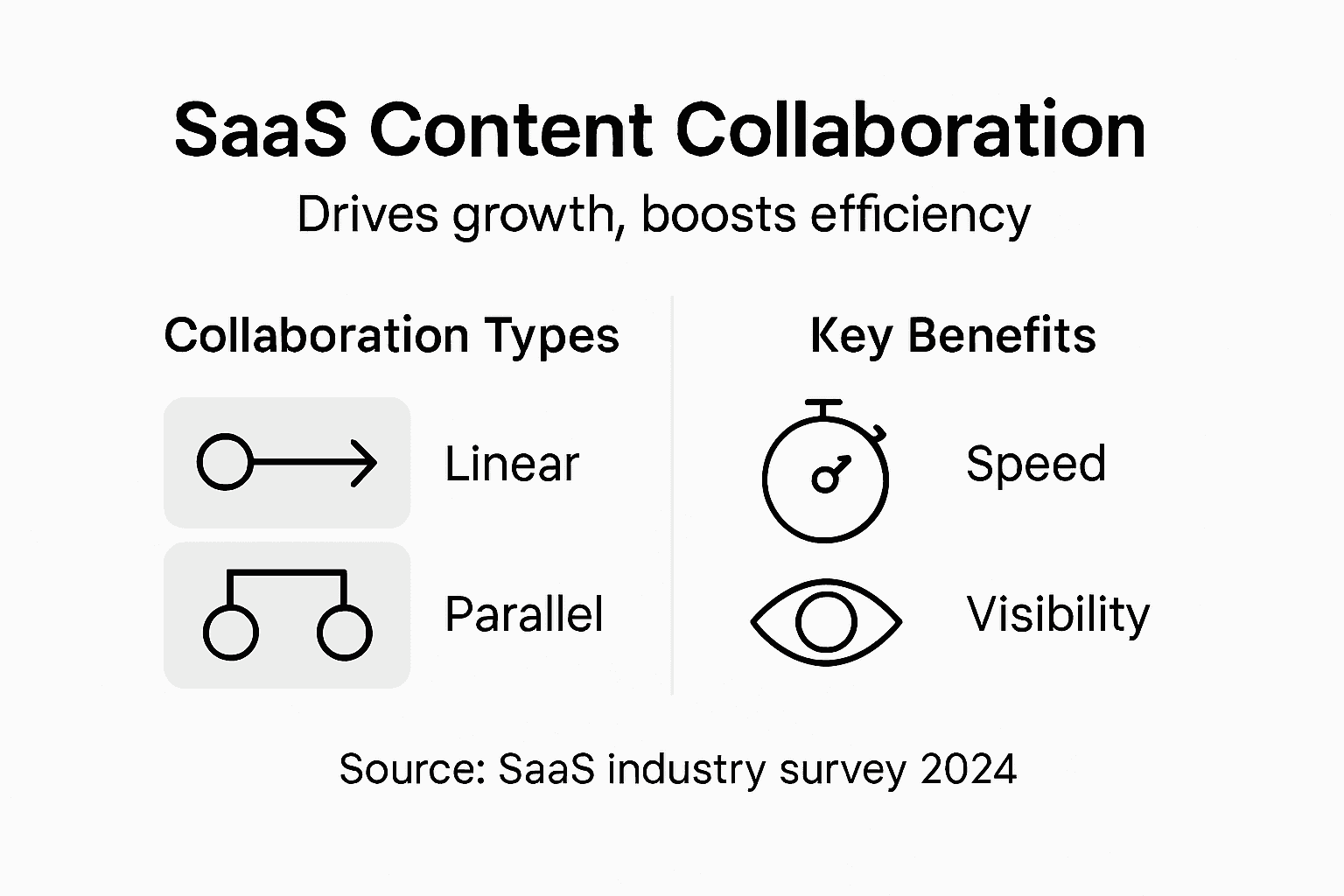
The first model is linear collaboration, where content moves through a defined sequence of hands. Your marketing director creates a brief, passes it to a writer, who hands it to an editor, who sends it for final review before publishing. This works well for straightforward pieces where the workflow is predictable and the number of stakeholders is small. Most growth-stage SaaS companies start here because it mirrors how work happened before tools existed.
The second is parallel collaboration, where multiple people work on different components simultaneously. One person researches customer use cases while another gathers technical specifications and a third develops the outline. These streams merge later for assembly and review. This model cuts timeline significantly but requires clear coordination so people aren’t duplicating effort or creating conflicting versions. Interdisciplinary collaboration that integrates diverse perspectives works particularly well here, since different experts contribute their specialized knowledge without waiting for previous steps to finish.
The third is hub and spoke collaboration, where one person (usually the content lead or product manager) sits at the center, coordinating input from writers, designers, reviewers, and approvers. Information flows to the hub, gets synthesized, then distributes back out with decisions and direction. This model works when you need centralized quality control or when stakeholders have conflicting priorities that need arbitration. However, it creates bottlenecks if your hub person is overloaded.
The fourth is continuous collaboration, where the same team maintains an ongoing document or resource that gets perpetually updated. Think of internal wikis, FAQ databases, or product documentation. These live documents never have a final version. Instead, they evolve as new information arrives, feedback accumulates, and the business changes. This requires strong version control and clear ownership rules so people know who can edit what.
Then there’s asynchronous collaboration, where people contribute at different times rather than in real-time meetings. Someone leaves detailed written feedback in the document. Another person responds hours later. A third person synthesizes all feedback into revisions the next day. This works exceptionally well for distributed teams across time zones and for people who think better in writing than in live meetings.
Your actual content workflow probably uses a hybrid. Maybe you use linear collaboration for one-off articles, parallel collaboration when you’re launching a new product, and continuous collaboration for your help documentation. The key is recognizing which model fits which scenario and building your system with flexibility to support all of them.
Here is a summary comparing key content collaboration models and when to use each:
| Collaboration Model | Primary Use Case | Strength | Potential Weakness |
|---|---|---|---|
| Linear | One-off articles | Predictable workflow | Slow with many reviewers |
| Parallel | Product launches | Shortens timelines | Requires clear coordination |
| Hub-and-Spoke | Multi-stakeholder approval | Centralizes decisions | Bottleneck risk at hub |
| Continuous | Living docs/wikis | Keeps info updated | Needs robust version control |
| Asynchronous | Distributed teams | Suits differing schedules | Less immediate feedback |
Pro tip: Map your three most common content projects and identify which collaboration model actually works for each one right now, then intentionally design your workflows around those real patterns instead of forcing one model across all content.
Essential features and workflow requirements
Not every collaboration tool checks the same boxes. What works brilliantly for a design team passing mockups around might fail catastrophically for a content team coordinating multiple writers, editors, and approvers across asynchronous time zones. Before you implement any system, you need to understand which features actually matter for your specific workflow.
Start with the foundation. You need centralized file storage with clear version control. This sounds basic, but it’s where most growth-stage SaaS companies experience friction. When your blog post exists in five different Google Docs with names like “Blog Post Final,” “Blog Post Final FINAL,” and “Blog Post Final USE THIS ONE,” you’ve lost control. A proper system shows you exactly which version is current, who made each change, and allows you to revert if someone accidentally deletes three paragraphs. Beyond storage, effective collaboration requires integration of social media capabilities and flexibility for remote work, allowing your distributed team to stay synchronized regardless of location.
Next comes real-time feedback and commenting. Your editor needs to highlight a paragraph and ask the writer a specific question without sending seventeen Slack messages. Your product manager needs to leave inline comments about accuracy without requiring a meeting. The system should let people respond to individual comments, resolve them when addressed, and track what’s still pending. This keeps conversations attached to the actual content instead of scattered across chat platforms where context disappears.
You also need clear ownership and status tracking. Every piece of content needs an obvious owner who’s accountable for moving it forward. The system should display status at a glance (in progress, pending review, awaiting approval, scheduled, published) and show who’s blocking progress when something stalls. When a marketing director looks at your content calendar, they should instantly see which articles are on track and which ones need attention.
Consensus building through discussions and task management features becomes critical as your team grows. You need the ability to create approval workflows where content moves through the right hands in the right order. Maybe posts need writer approval before they go to the editor, then editor approval before they reach the product manager for final review. Building these workflows directly into your system prevents confusion about who needs to sign off.
Finally, consider audit trails and historical documentation. Who published this piece? When did the writer first submit it? What feedback came in during review? This information matters because it helps your team learn from what works and document institutional knowledge. When a new team member arrives, they can see how previous similar projects moved through your workflow.
One often-overlooked requirement is integration with your existing tools. If your collaboration system doesn’t connect to your CMS, email, or analytics platform, you’ll spend half your time manually transferring information between systems. The best collaboration tool for your team is one that pulls data from where you’re already working and sends decisions back to those systems automatically.
Here is a reference table outlining essential content collaboration features and their business impact:
| Feature | What It Enables | Business Impact |
|---|---|---|
| Version Control | Single source of truth | Reduces miscommunication and errors |
| Real-Time Commenting | Contextual feedback | Speeds up review and revisions |
| Status Tracking | Visible project progress | Improves accountability |
| Integration Capabilities | Syncs with other platforms | Saves time, reduces manual work |
| Audit Trails | Records and ownership history | Eases onboarding, enhances trust |
Pro tip: Audit your current chaos by documenting one actual content piece from start to publication, noting every tool it touched and every delay it hit, then use that real workflow to determine which features are non-negotiable for your next system.
Real-world applications in SaaS marketing
Content collaboration isn’t some abstract concept. It directly impacts your bottom line through faster time-to-market, better content quality, and team members who actually understand what everyone else is working on. For growth-stage SaaS companies specifically, effective collaboration multiplies your output without proportionally increasing your headcount.
Consider how product launch campaigns work in a well-coordinated environment. Your product team has new features to announce. Your sales team has feedback from recent customer conversations about what buyers actually care about. Your technical writer has documentation that explains how the features work. Your designer has created comparison charts. Without collaboration infrastructure, these pieces develop independently. The launch announcement gets published without incorporating sales insights. The documentation doesn’t align with how marketing positioned the feature. The comparison chart contradicts something the product team claimed in the announcement.
With proper content collaboration, these teams work together from the start. The product manager creates a brief that collects input from sales and support. The technical writer comments on drafts to catch inaccuracies. The designer coordinates timelines so graphics are ready when needed. Sales reviews the messaging before launch to ensure it matches their talking points. What used to take three weeks of rework now ships in two, and it’s actually accurate.
Another practical example appears in ongoing content optimization. You publish an article about “How to Reduce Customer Churn.” Six months later, your analytics show it’s your highest-performing piece, ranking for 47 relevant keywords and driving 300 qualified leads monthly. But parts of it are outdated. Product features changed. New data emerged. In a collaborative environment, your content lead flags this in your system. The original writer gets notified. They schedule a refresh. An editor reviews the updates. Analytics are pulled to validate the new version performs even better. This cycle happens continuously without anyone remembering to chase people down via email.
Here’s where AI integration enters the picture. Large language models integrated in human-AI hybrid teams substantially enhance marketing research by generating synthetic respondents and analyzing qualitative data, allowing your team to conduct deeper research faster. Imagine your writer needs interview transcripts to support an article about customer pain points. Instead of scheduling eight interviews and transcribing manually, your collaboration system lets them work with AI to analyze existing customer data, generate research summaries, and flag key insights. The human still validates everything and makes final decisions, but the collaboration between human and AI eliminates low-value grunt work.
Another application involves personalization at scale. Generative AI tools in marketing accelerate content production when supported by coordinated team-based approaches with structured workflows and governance. Your product marketing manager could use AI to generate multiple messaging variations for different buyer personas. Your copywriter reviews which versions resonate. Your designer adapts layouts accordingly. Your performance marketer A/B tests them. The winning combination gets documented back into your system so future campaigns build on what worked. This collaboration between human creativity and AI speed transforms how fast you can test and optimize.
For Midwest SaaS companies specifically, collaboration unlocks regional customization without exploding your workload. Your national content gets created once, reviewed, and published. Then your regional managers can collaborate with AI to adapt messaging for local markets, regional compliance requirements, or specific customer segments. They don’t recreate content from scratch. They enhance it. They share learnings back to the central team so everyone improves.
Pro tip: Start by choosing one quarterly campaign and instrument it with collaborative workflows, then measure how many days you saved, what quality improved, and what team friction disappeared, then use those metrics to justify expanding collaboration across all content.
Risks, challenges, and common mistakes
Collaboration systems can fail spectacularly if you don’t anticipate the pitfalls. You implement a beautiful new platform with all the right features, but your team either doesn’t use it consistently or uses it in ways that create more chaos than before. Understanding common failure modes helps you avoid them before they waste months and damage trust in your systems.
The first major risk is unclear ownership and accountability. When everyone can edit everything, accountability disappears. Your blog post gets feedback from four different people. Someone makes changes based on one comment but not another. Two conflicting versions exist simultaneously. Nobody knows who’s supposed to decide which feedback matters. This isn’t a tool problem. It’s a governance problem. Before implementing collaboration systems, you need explicit rules about who owns decisions, when people can edit, and what approval actually means. Without this clarity, coordination failures and accountability issues plague collaborative efforts, especially as team size increases.
The second challenge is overloading people with process. You create elaborate workflows thinking more structure prevents mistakes. Instead, you create friction. A simple blog post requires approval from five people in sequence. Each person takes two days to review. A piece that should launch in a week now takes five weeks. Your team stops using the system and goes back to email and Slack. The cure becomes worse than the disease. Start with minimal process and add only when you actually encounter the problem it prevents.
A third mistake is information fragmentation despite having a system. You implement collaboration software, but people still use Slack, email, shared Google Drive folders, and the collaboration tool simultaneously. Feedback exists in multiple places. Decisions get made in different channels. People miss important information because they’re not checking everywhere. The solution is intentional consolidation. Pick your system as the source of truth and route all collaboration through it. Yes, people will discuss quick thoughts in Slack, but formal feedback and decisions happen in one place.
Another risk involves tool adoption and digital literacy. Managing collaboration dynamics and effectively utilizing digital tools presents challenges when teams have varying comfort levels with technology. Your most experienced writer might find the new system intuitive. Your subject matter expert from the engineering team might find it confusing and abandon it entirely. Without training and support, adoption becomes uneven. Some people treat it as gospel. Others ignore it. You get partial adoption, which is often worse than no adoption because you can’t rely on any single source of truth.
A common mistake specific to growth-stage companies is choosing tools before defining workflow. You evaluate software based on features without first understanding how your team actually works. You pick something with beautiful UI but it doesn’t support your approval workflows. You discover this after implementation. Now you’re stuck with a tool that almost works, frustrating everyone every day.
Finally, watch out for false consensus. You design a workflow in a meeting where everyone nods along. Then you launch it and discover people have different assumptions about how it works. The content lead thought approvers could leave feedback after content was scheduled. The product manager thought scheduling locked the document. These misunderstandings create real conflicts.
Pro tip: Before rolling out any collaboration system to your entire team, run a two-week pilot with three people on a real project, then hold a blameless retrospective where they tell you honestly what didn’t work, what confused them, and what they’d do differently.
Comparing alternatives and selecting solutions
The market for collaboration tools is overwhelming. You can find dozens of platforms, each claiming to solve your problem, each with slightly different feature sets and pricing models. But choosing based on feature checklists or slick marketing demos almost always leads to regret. What matters is matching tools to your actual workflow, not the other way around.
Start by defining your non-negotiable requirements before looking at any software. These are the features without which your team simply cannot function. For a content collaboration system, this might include version control, inline commenting, approval workflows, and integration with your CMS. Write these down. Anything else is nice-to-have but not essential. This distinction prevents you from falling in love with a tool because it has a beautiful timeline view when you actually need robust permission controls.
Next, consider your team’s technical comfort level honestly. A platform recognized for enterprise-grade capabilities might require training that distracts your marketing team from shipping content. Something designed for simplicity might lack the depth you need as you scale. Selection criteria should include ease of use, integration capabilities, and support across your actual workflows. For growth-stage companies, this means finding the sweet spot between powerful and approachable.
Integration matters more than you think. Your collaboration tool doesn’t exist in isolation. It needs to connect with your CMS so publishing workflows are smooth. It should integrate with Slack so people get notified about decisions. If it can pull analytics data, even better. Tools that live in isolation become islands where work happens separately from everything else. Ask vendors about their API documentation and which platforms they integrate with natively. If their answer is vague, that’s a red flag.
Security and compliance deserve attention specific to your industry. If you serve healthcare or finance customers, certain compliance requirements might eliminate options immediately. Don’t discover this after implementation. Get compliance questions answered upfront in writing.
Collaboration tools vary in communication features, project planning, resource management, and co-creation abilities, so assess which categories matter most to your team. Does your team need robust video conferencing? Probably not a priority for content collaboration. Do you need fine-grained permission controls? Absolutely. Do you need real-time co-editing or is asynchronous feedback enough? These answers shape which tools fit.
Pricing models matter when you’re evaluating costs. Some tools charge per user monthly, making them expensive as you grow. Others charge per project or per storage volume. For a growth-stage company, watch out for hidden costs like extra fees for API access, integrations, or higher permission levels. Get a written quote for your actual projected team size, not just the base price.
Here’s what separates smart selections from costly mistakes: create a comparison table with your actual workflows down the left side and tools across the top. For each workflow, mark whether the tool supports it natively, requires workarounds, or doesn’t support it at all. A tool that requires workarounds for your most frequent activity will frustrate everyone daily.
Finally, run a paid trial before committing. Not a free tier. A paid trial where you commit your team to using it for two weeks on real work. Free tiers lull you into a false sense of what the actual tool feels like when you’re working seriously. Paid trials force you to actually implement it and discover friction points before you’re locked in.
Pro tip: Require every team member who will use the tool daily to vote on your top three candidates after the trial period, not just the person selecting software, since adoption rates depend on whether the people doing the actual work believe the tool helps them.
Unlock Seamless Content Collaboration Tailored for Your SaaS Growth
Navigating the challenges of content collaboration in a growing SaaS company requires more than just standard tools. You need customized systems that eliminate confusion around ownership, streamline approval workflows, and centralize real-time feedback—all designed to fit your unique team dynamics and hybrid collaboration models. Rule27 Design specializes in building these exact solutions, bridging the gap between off-the-shelf options and overly complex enterprise software.

Experience the difference a bespoke content management system can make, improving your team’s efficiency by up to 40% while enhancing content visibility through AI-optimized search capabilities. Whether you are struggling with version control, asynchronous communication, or cross-team coordination, our expertise at Rule27 Design ensures your content collaboration evolves alongside your business. Take the next step to transform your content workflows by exploring how we can build a custom solution that empowers your growth. Visit Rule27 Design to get started and see how tailored infrastructure drives real results.
Frequently Asked Questions
What is content collaboration in a SaaS environment?
Content collaboration refers to the process of multiple team members working together on content creation while maintaining clear visibility of ownership, status, and integration of feedback. This system helps teams coordinate efficiently, especially in growth-stage SaaS companies where members may be remote and juggling various projects.
Why is content collaboration important for growth-stage SaaS companies?
Effective content collaboration allows growth-stage SaaS companies to streamline their content creation processes. It helps ensure higher quality content, faster time-to-market, and a better understanding of team activities, all of which are vital for scaling operations without proportionally increasing headcount.
What are the common collaboration models used in content creation?
Common collaboration models include linear collaboration, where content follows a set sequence of production; parallel collaboration, allowing simultaneous work on different components; hub-and-spoke collaboration for centralized control; continuous collaboration for ongoing documents; and asynchronous collaboration, where team members contribute at different times.
What features should a good content collaboration tool have?
A good content collaboration tool should include centralized file storage with version control, real-time feedback and commenting capabilities, clear ownership and status tracking, integration with existing tools, and audit trails for historical documentation. These features ensure smooth workflow and prevent miscommunication.

About the Author
Josh AndersonCo-Founder & CEO at Rule27 Design
Operations leader and full-stack developer with 15 years of experience disrupting traditional business models. I don't just strategize, I build. From architecting operational transformations to coding the platforms that enable them, I deliver end-to-end solutions that drive real impact. My rare combination of technical expertise and strategic vision allows me to identify inefficiencies, design streamlined processes, and personally develop the technology that brings innovation to life.
View Profile

