

Discover how tailored filter design strategies help growth-stage SaaS teams optimize content management, improve safety, and boost operational efficiency.
TL;DR:
- Effective filter design influences content discovery, safety, and operational efficiency at scale.
- Combining rules-based and machine learning filters ensures adaptability as content and user needs grow.
- Continuous iteration and cross-team reviews are essential for maintaining scalable and safe filter systems.
Filter design isn’t just about helping users find things faster. That’s the misconception holding a lot of SaaS teams back. The reality? Filter design shapes how your content gets discovered, how safely it gets surfaced, and how efficiently your team operates at scale. For growth-stage SaaS companies, getting this wrong creates information silos, security gaps, and workflows that quietly stall. This guide breaks down what smart filter design actually looks like, the components that matter most, and how to build a system that grows with you.
Key Takeaways
| Point | Details |
|---|---|
| Filter design drives efficiency | Well-crafted filters are essential for scalable, safe content management in SaaS platforms. |
| Combine UI and backend filters | Balancing discoverability with content safety unlocks powerful user and operational benefits. |
| Integration with search is vital | Merging filters, search, and sorting sharpens user experience and accelerates workflows. |
| Test and iterate often | Frequent filter updates and real data testing ensure ongoing effectiveness as your SaaS grows. |
What is filter design and why does it matter in SaaS?
Filter design in content management is the architecture behind how users and systems sort, surface, and restrict information. It’s not just a search bar. It’s the logic that decides what content is visible, to whom, and under what conditions.
There are two core approaches. Rules-based filtering uses explicit patterns like keywords, regular expressions, or boolean logic to include or exclude content. Machine learning-based filtering uses classification models trained on data to make nuanced, adaptive decisions about what content fits a given context. Both have a place in a well-designed system.
For growth-stage SaaS companies, the challenge isn’t choosing one or the other. It’s knowing when to use both. As your content library grows and your user base diversifies, static rules start breaking down. New content types emerge. Edge cases multiply. And the filters you set up in year one start failing quietly.
Here’s what’s at stake when filter design is poor:
- Information silos: Teams can’t find what they need, so they duplicate effort or rely on outdated content.
- Safety gaps: Without proper backend filtering, sensitive or inappropriate content can surface in the wrong context.
- Operational drag: Users waste time navigating cluttered, unfiltered content libraries.
- Scalability ceilings: Rigid filter logic can’t adapt as your product or content strategy evolves.
A data-driven strategy for content management treats filter design as infrastructure, not an afterthought. When your filters are well-architected, content discoverability improves, and so does team efficiency.
“The biggest filter design failures we see aren’t from bad intent. They’re from teams that never questioned the defaults.”
Good CMS filter integration connects filter logic to your content taxonomy, user roles, and business rules. That’s where real leverage lives.
Essential components of a tailored filter design
Not all filters serve the same purpose. Some exist to help users navigate. Others protect the integrity and safety of your content layer. Growth-stage SaaS teams need both, and they need them working together.

Here’s how frontend and backend filters compare:
| Filter type | Primary purpose | Best for | Key risk if ignored |
|---|---|---|---|
| Frontend (UI) filters | Content discoverability | User navigation, search refinement | Poor user experience, low content usage |
| Backend (content safety) filters | Safety and access control | Role-based access, compliance, moderation | Security gaps, policy violations |
| Hybrid (layered) filters | Both | Enterprise and growth-stage SaaS | Complexity, maintenance overhead |
The best systems layer both filter types rather than treating them as separate concerns. A UI filter helps your content team find assets by tag, format, or date. A backend filter ensures that the same assets are only visible to authorized users, or that flagged content doesn’t surface in public-facing areas.
Key components to build into your filter architecture:
- Search filters: Keyword and semantic search with relevance ranking.
- Sorting logic: Date, popularity, status, and custom priority signals.
- AI-powered suggestions: Surfacing related content based on user behavior.
- Custom tagging and taxonomy: Letting teams define their own categorization logic.
- Role-based visibility controls: Ensuring the right content reaches the right people.
A solid content visibility checklist can help you audit which of these components are missing or underperforming in your current setup.
Pro Tip: Always pilot complex filters with a real sample of your live content library before full deployment. Edge cases in production are almost always different from what you expect in staging.
Integrating filters with search and sorting for maximum efficiency
Siloed filters are a hidden efficiency killer. When your search, filter, and sort functions operate independently, users end up doing the connective work themselves. That’s friction. And in a fast-moving SaaS environment, friction compounds quickly.
Integrated filter logic means users can apply multiple conditions simultaneously, results update in real time, and the system learns from usage patterns to surface smarter suggestions. Combining filters with sorting and search into a unified input experience is one of the clearest efficiency wins for growth-stage teams.
Here’s how average content retrieval time compares across different setups:
| Setup | Average time to find content | Notes |
|---|---|---|
| No filters (browse only) | 4-6 minutes | High frustration, frequent failures |
| Basic keyword search only | 2-3 minutes | Misses contextual or misnamed content |
| Filters and search (siloed) | 1-2 minutes | Users must run multiple passes |
| Unified search, filter, sort | Under 30 seconds | Highest satisfaction and accuracy |
The gains are real. And the steps to get there are more straightforward than most teams expect.
How to implement unified filter logic:
- Audit your current search, filter, and sort functions to identify where they disconnect.
- Map your most common content retrieval workflows across teams.
- Design a unified query layer that passes combined parameters to your backend.
- Integrate AI-powered marketing filters for smart content suggestions based on context.
- Test with real users and iterate on the interface until retrieval feels instant.
- Connect usage data to AI content checklists to identify gaps in your content coverage.
Pro Tip: If your team is spending more than two clicks to find specific content, your filter logic needs attention. That’s not a user training problem. It’s a design problem.
Bridging safety, scalability, and user experience in filter frameworks
Here’s the tension every growth-stage SaaS team hits eventually. Simple filters are easy to manage but open up safety risks. Complex filters are more secure but harder to use and maintain. Neither extreme works at scale.
Common pitfalls in this space:
- Latency issues: Filters that run too many real-time queries slow down the entire interface.
- Context-blindness: Rules-based filters miss nuance, flagging or surfacing content incorrectly.
- Maintenance overhead: Systems built on rigid logic require constant manual updates as content evolves.
- Evasion gaps: Sophisticated users or bad actors can work around simple pattern-matching filters.
The right framework for growth-stage tools balances three priorities: acceptable risk tolerance, ease of use for your team, and future-proofing for scale. That means layering ML-based classification on top of rules-based logic, building in override controls for edge cases, and scheduling regular filter audits as part of your content operations rhythm.
“Content safety filtering uses classification vs rules-based approaches, with key challenges including class imbalance, evasion, and context-blindness.”
For web page optimization that ties into filter performance, the goal is the same: build systems that get smarter over time, not ones that require constant manual intervention to stay functional.
The teams that scale filter frameworks well treat them as living systems. They instrument usage, track where filters fail, and iterate continuously.
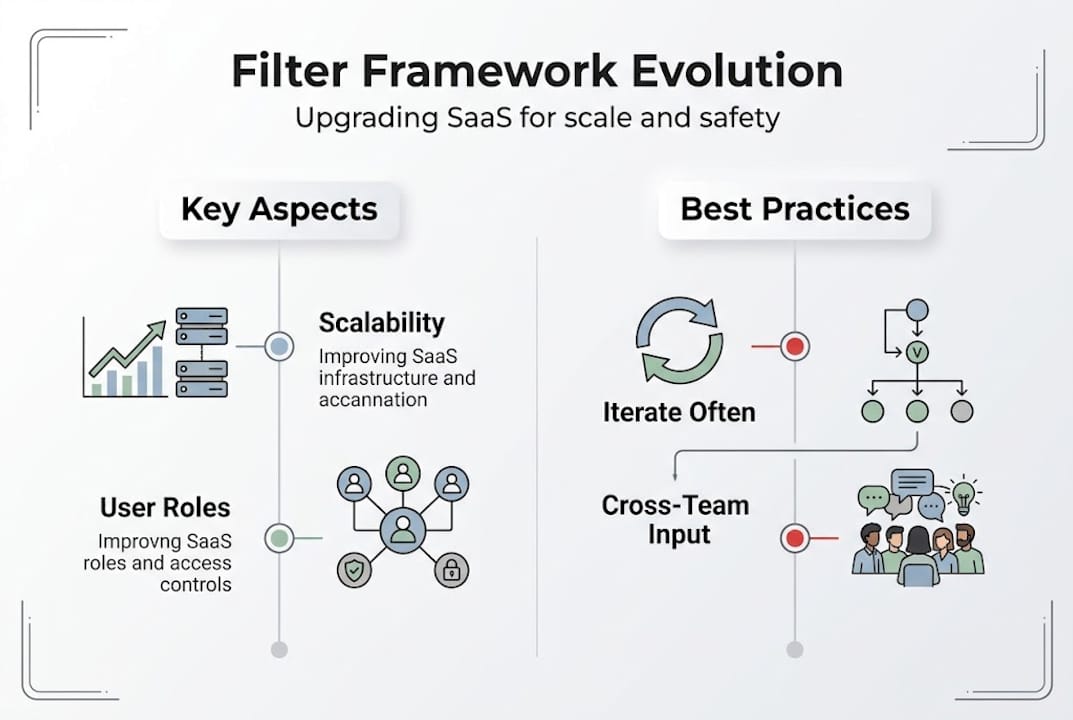
A smarter way forward: Lessons learned from scaling filter strategies
Here’s what we’ve seen over and over. SaaS teams pour energy into their UI filters because users complain about them directly. Backend safety filters get ignored until something breaks. By then, the cost of fixing it is much higher than building it right the first time.
The real leverage isn’t in picking the perfect filter architecture upfront. It’s in building a culture of iteration. Test with live content. Get input from your content team, your engineers, and your end users. Use AI-powered suggestions not as a shortcut but as a feedback loop.
The “set-and-forget” mindset is what creates silos. Filters that made sense at 50 pieces of content break down at 5,000. The teams winning at this are the ones who treat filter design the same way they treat SaaS workflow automation: as something to monitor, measure, and improve continuously.
One thing that has moved the needle most for our clients: cross-team filter reviews every quarter. Not just engineers. Content leads, product managers, and customer-facing folks all bring different blind spots. That diversity catches what solo technical reviews miss.
Enhance your SaaS filter design with Rule27 Design
Custom filter design isn’t a luxury for growth-stage SaaS teams. It’s the difference between a content system that scales and one that stalls. Getting it right means layering UI and backend filters, integrating search and sort logic, and iterating continuously with real data.

At Rule27 Design, we build content management systems and admin tools that match how your team actually works. Not generic. Not over-engineered. Just the right architecture for where you are and where you’re going. Check out our Innovation Lab to see what’s possible, or reach out to start a conversation about your filter strategy. Our clients typically see 40% improvement in operational efficiency after implementing our systems.
Frequently asked questions
What is the difference between rules-based and machine learning-based filters?
Rules-based filters rely on explicit patterns, while machine learning-based filters adapt dynamically to classify content with higher nuance. Rules are faster to set up but brittle at scale.
Why do growth-stage SaaS teams need custom filter solutions?
Growth-stage SaaS teams often outgrow generic filters quickly. Custom filter solutions handle evolving content types and scale securely in ways that off-the-shelf tools simply can’t.
How does integrating filter design with search and sorting improve efficiency?
Unifying filters with search and sorting cuts retrieval time from several minutes to under 30 seconds. It removes the friction of running multiple separate queries.
What are common filter design mistakes for SaaS teams?
The biggest mistakes are overcomplicating UI filters, ignoring backend safety, and treating filter logic as set-and-forget. Regular audits and live content testing prevent all three.

About the Author
Josh AndersonCo-Founder & CEO at Rule27 Design
Operations leader and full-stack developer with 15 years of experience disrupting traditional business models. I don't just strategize, I build. From architecting operational transformations to coding the platforms that enable them, I deliver end-to-end solutions that drive real impact. My rare combination of technical expertise and strategic vision allows me to identify inefficiencies, design streamlined processes, and personally develop the technology that brings innovation to life.
View Profile

