

Learn how an actionable analytics workflow improves SaaS team efficiency by 40% through automation, AI integration, and continuous operational monitoring.
Operations managers at growth stage SaaS companies face a relentless challenge: drowning in fragmented data while struggling to extract actionable insights. Traditional dashboards offer visibility but rarely drive the operational improvements teams desperately need. This guide walks you through building an actionable analytics workflow that transforms raw data into team efficiency gains and measurable content performance optimization.
Key Takeaways
| Point | Details |
|---|---|
| Prerequisites Matter | Clean data governance and pilot projects reduce implementation risk by 30% |
| Workflow Automation Gains | Structured analytics workflows improve SaaS team productivity up to 25% |
| AI Integration Impact | Automation can handle up to 70% of routine operational tasks by 2030 |
| Continuous Monitoring | Operational analytics enable real time iteration and sustained performance |
| Expected Outcomes | Teams achieve 20 to 40% efficiency boost and 22% cost reduction within first year |
Prerequisites and Planning: What You Need Before Starting
You cannot build an effective analytics workflow on shaky foundations. Before diving into automation and AI integration, you need three essential components in place.
First, establish clean and governed data infrastructure. Failure to start with clean, governed data causes 30% operational efficiency loss, making this step non negotiable. Your data quality directly determines the reliability of every insight downstream.
Second, run pilot projects before full scale deployment. Starting small lets you catch integration issues early, validate your approach against real operational challenges, and build team confidence. Growth stage companies especially benefit from phased rollouts that minimize disruption to existing workflow efficiency in SaaS operations.
Third, ensure your tech stack compatibility and basic team readiness:
- Verify your existing systems can integrate with workflow automation tools
- Confirm your team has baseline analytics literacy
- Establish clear ownership for data governance and workflow maintenance
- Document current enterprise software basics and pain points
These prerequisites might seem obvious, yet skipping them accounts for the majority of failed analytics initiatives. The upfront investment in data governance and pilot projects importance pays dividends when your workflow scales across teams.
Step 1: Identify Key Metrics and Data Sources
Defining the right metrics separates actionable analytics from vanity dashboards. Your metrics must tie directly to operational efficiency and content performance outcomes that matter to your business.
Start by mapping metrics to specific team roles and business goals. Operations managers need different insights than content strategists or product teams. Choose metrics that drive decisions, not just measure activity.
For defining SaaS key metrics, focus on these categories:
- Operational efficiency metrics: cycle time, bottleneck frequency, task completion rates
- Content performance metrics: engagement depth, conversion attribution, AI search visibility
- Team productivity metrics: output per sprint, collaboration effectiveness, tool adoption
- Customer impact metrics: support ticket reduction, onboarding success, feature utilization
Next, inventory your data sources and prioritize by quality and accessibility. Internal sources like your CMS, CRM, and project management tools offer the most control. External sources such as analytics platforms and customer feedback tools add valuable context but require careful integration.
Establish clear measurement definitions to eliminate ambiguity. When you say “engagement,” does that mean page views, time on page, scroll depth, or conversion actions? Inconsistent definitions across teams create confusion and undermine trust in your analytics.
Finally, validate that your chosen metrics align with actual decision making processes. If a metric looks impressive but nobody changes behavior based on it, remove it. Your content analytics monitoring should drive action, not just generate reports.
Step 2: Define and Automate Workflow Processes
Once you know what to measure, design the sequential workflow that captures, processes, and delivers insights efficiently. Manual data handling creates bottlenecks that waste hours every week.
A structured analytics workflow improves SaaS team productivity by up to 25% through automation, making this step crucial for growth stage companies. Here is how to build it:
- Map your current data flow from collection through visualization
- Identify manual handoffs and repetitive tasks that slow the process
- Select workflow automation best practices and tools that integrate with your stack
- Design automated pipelines for data extraction, transformation, and loading
- Build scheduled reporting that delivers insights to stakeholders automatically
- Create alert systems for anomalies and threshold breaches
Your workflow should minimize human intervention while maintaining data quality checks at critical points. Over automation without governance creates new problems, so balance efficiency with oversight.
Leverage modern automation benefits and tools designed specifically for SaaS operations. These platforms handle common workflow patterns out of the box, letting you focus on customization rather than building from scratch.
Pro tip: Start with the most repetitive, time consuming workflow first. Early wins build momentum and demonstrate ROI to skeptical stakeholders. A single automated weekly report that saves three hours of manual work every Monday makes believers out of doubters fast.
Design for scale from day one. Your workflow should handle increased data volume and additional team members without major rework. Growth stage companies that build scalable workflows avoid the painful migration projects that plague teams using quick fixes.
Step 3: Integrate AI and Automation
AI transforms analytics from reactive reporting to proactive intelligence. Modern AI copilots enable natural language queries, automated narrative generation, and predictive insights that were impossible just two years ago.
Integrating AI analytics can automate up to 70% of routine SaaS operational tasks by 2030, representing a massive efficiency opportunity. The key is strategic integration, not wholesale replacement of human judgment.
Start with these AI capabilities:
- Natural language data querying that lets non technical team members explore analytics independently
- Automated insight generation that surfaces anomalies and trends without manual analysis
- Predictive modeling for content performance and operational bottlenecks
- Smart alerts that learn what matters to each team member over time
Pilot AI integrations before full deployment to manage risk and optimize configuration. AI automation in SaaS workflows works best when tuned to your specific operational context rather than applied generically.
“AI copilots reduce decision bottlenecks and accelerate iteration speed” by enabling teams to test hypotheses and validate strategies in minutes instead of days.
This speed advantage compounds over time. Teams that iterate faster learn faster, creating a sustainable competitive edge in AI copilots enhancing decision making.
Implement intuitive AI admin tools that match how your team actually works. The best AI integration feels invisible, augmenting existing workflows rather than forcing new ones.
Pro tip: Assign an AI integration owner who bridges technical implementation and business needs. This person ensures AI delivers real operational value rather than just impressive demos. Without clear ownership, AI projects drift toward technical complexity that never translates to business outcomes.
Step 4: Monitor and Iterate with Operational Analytics
Building the workflow is just the beginning. Sustained success requires continuous monitoring and data driven iteration to optimize performance over time.
Real time operational dashboards support tactical decisions when they matter most. Unlike traditional business intelligence that looks backward, operational analytics show what is happening right now and what to do about it.
Use operational analytics to:
- Identify workflow bottlenecks as they emerge, not after they cause delays
- Track team adoption and usage patterns to spot training needs
- Measure content performance improvements from optimization efforts
- Compare actual outcomes against predicted results to refine models
The table below shows key monitoring metrics and ideal check in frequencies:
| Metric Category | Check Frequency | Action Threshold |
|---|---|---|
| Workflow completion rates | Daily | Below 85% completion |
| Data quality scores | Weekly | Quality drops 10% |
| Team tool adoption | Biweekly | Usage under 60% |
| Content performance | Weekly | Engagement down 15% |
Iterate your workflow design based on feedback from both data and team members. The content optimization process improves through regular refinement, not one time setup.
Schedule monthly workflow reviews where you examine bottlenecks, automation failures, and improvement opportunities. These sessions prevent gradual decay that undermines initial gains.
Common Mistakes and Troubleshooting
Even well planned analytics workflows face predictable challenges. Knowing these pitfalls helps you avoid wasted time and resources.
Poor data governance delays efficiency gains by 30%, making it the most expensive mistake. Teams that skip governance discover their automated workflows spread bad data faster than manual processes ever could.
Other critical mistakes include:
- Skipping pilot tests and deploying to all teams simultaneously, which amplifies integration failures
- Over relying on manual data cleaning instead of fixing root causes in collection systems
- Ignoring SaaS operational context when selecting metrics, leading to irrelevant dashboards
- Building workflows that require constant technical intervention to maintain
- Failing to train team members on new tools, resulting in low adoption
When troubleshooting workflow issues, start with data governance importance fundamentals. Most problems trace back to inconsistent data collection, unclear metric definitions, or inadequate quality checks.
If automation breaks repeatedly, you likely automated a poorly designed manual process. Fix the underlying workflow before attempting automation again.
Pro tip: Create a troubleshooting runbook during implementation, not after problems emerge. Document common issues, their symptoms, and resolution steps. This knowledge base saves hours when team members encounter predictable challenges.
Stage your rollout across teams to contain issues. If something breaks, you affect a subset of users rather than paralyzing the entire organization.
Expected Results and Outcomes
Implementing an actionable analytics workflow delivers measurable improvements across efficiency, costs, and content performance. Understanding realistic timelines helps set appropriate expectations.

SaaS teams improve efficiency 20 to 40% within 3 to 6 months post implementation based on client case studies. The range depends on workflow complexity, team size, and initial automation maturity.
Financially, operational costs reduce by 22% in first year after automation adoption through reduced manual labor, faster decision cycles, and optimized resource allocation. These savings compound as workflows mature.
Content performance shows improvement within weeks as teams gain visibility into what resonates with audiences and AI search engines. Optimization cycles that previously took days compress to hours.
Efficiency gain: 35% average productivity increase across Rule27 Design client implementations within first quarter.
The comparison table below contrasts traditional BI approaches with modern operational analytics workflows:
| Aspect | Traditional BI Dashboards | Operational Analytics Workflow |
|---|---|---|
| Data freshness | Hours to days delay | Real time or near real time |
| User interaction | Passive viewing | Active querying and exploration |
| Automation level | Manual report generation | End to end automated pipelines |
| Decision support | Historical analysis | Predictive and prescriptive insights |
| Team adoption | Limited to analysts | Accessible to all team members |
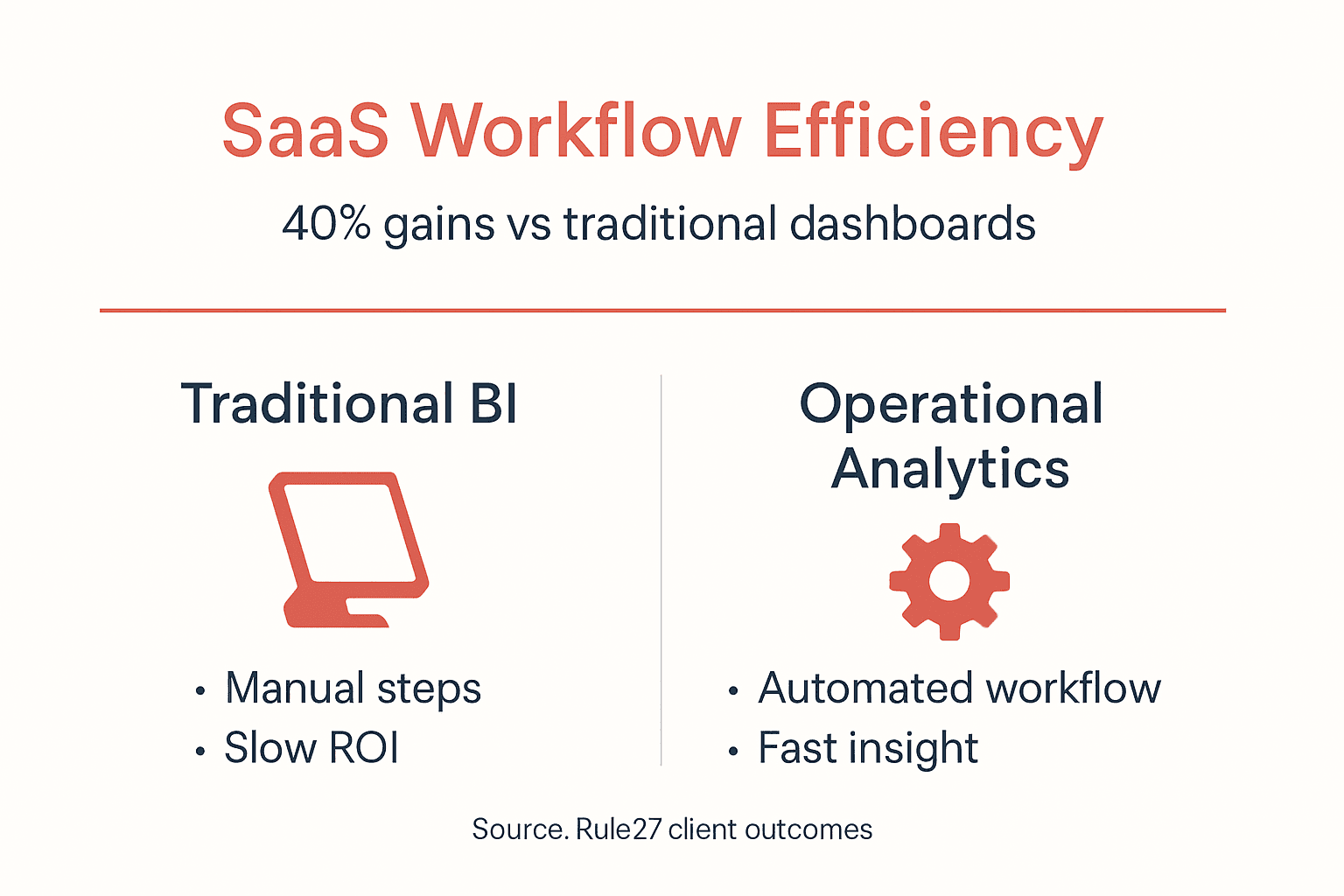
Operational workflows democratize analytics, letting every team member access insights previously locked behind technical barriers. This accessibility drives the efficiency gains that justify implementation costs.
Expect a learning curve during the first month as teams adapt to new tools and processes. Support adoption with training, clear documentation, and visible executive sponsorship. The SaaS operational efficiency case studies demonstrate that early investment in change management accelerates time to value.
By month six, your workflow should feel natural to team members and deliver consistent operational improvements. Automation cost savings evidence shows the financial benefits continue growing as teams discover new optimization opportunities.
Frequently Asked Questions
What is an actionable analytics workflow for SaaS operations?
An actionable analytics workflow automates data collection, processing, and insight delivery to drive operational decisions. Unlike passive dashboards, these workflows integrate directly into team processes, triggering alerts and recommendations that improve efficiency and content performance in real time.
How quickly can I expect productivity improvements?
Most teams see measurable gains within the first month, with 20 to 40% efficiency improvements materializing by month three to six. Early wins come from automating repetitive reporting tasks, while deeper gains emerge as teams optimize workflows based on operational analytics insights.
What common mistakes should I avoid when implementing?
Skipping data governance causes the most damage, delaying gains by 30% or more. Other critical mistakes include deploying without pilot testing, ignoring team training needs, and selecting metrics that do not drive actual decisions. Always validate data quality and start with focused pilots before scaling.
How does AI integration improve operational decision making?
AI copilots enable natural language querying, automated anomaly detection, and predictive insights that compress decision cycles from days to minutes. By automating routine analysis, AI frees operations managers to focus on strategic initiatives while maintaining visibility into tactical execution.
What tools help automate and monitor workflows effectively?
Modern workflow automation platforms, operational analytics tools, and AI copilots form the core stack. The specific tools matter less than ensuring they integrate seamlessly with your existing systems and match how your team actually works. Custom solutions often deliver better ROI than generic enterprise software for growth stage companies.

About the Author
Josh AndersonCo-Founder & CEO at Rule27 Design
Operations leader and full-stack developer with 15 years of experience disrupting traditional business models. I don't just strategize, I build. From architecting operational transformations to coding the platforms that enable them, I deliver end-to-end solutions that drive real impact. My rare combination of technical expertise and strategic vision allows me to identify inefficiencies, design streamlined processes, and personally develop the technology that brings innovation to life.
View Profile

