

Explore the best alternatives to 27graphicsolutions.com for growth-stage teams. Discover custom admin panels that boost efficiency.
For growth-stage companies that have outgrown basic SaaS tools, the right move is a platform-agnostic custom admin panel, CMS, or internal tool built with a hybrid model. Book a short discovery call with Rule27design to scope your core workflow and get a fixed-fee estimate.
- Custom tooling gives you data ownership, predictable per-user economics, and workflows built around how your team actually operates.
- A hybrid approach keeps commodity functions on SaaS and reserves custom builds for the workflows that define your competitive edge.
- Clients working with Rule27design typically see a 40% improvement in operational efficiency after implementation.
Pro Tip: Before booking a discovery call, write down the three workflows your team works around every day. Those are your build candidates.
Key Takeaways
Custom admin panels and internal tools become cost-effective for growth-stage companies when workflow inefficiencies exceed roughly $60k/year and the gaps are structural, not fixable by configuration.
| Point | Details |
|---|---|
| Build vs. buy trigger | When workflow tax exceeds ~$60k/year and API gaps are structural, custom tooling wins on economics. |
| Cost and timeline | Expect $150K–$400K for an MVP build over 3–6 months, plus ongoing annual maintenance costs. |
| Vendor evaluation | Prioritize discovery rigor, API-first architecture, and a named post-launch SLA over portfolio aesthetics. |
| Migration planning | Build re-runnable migration scripts and rehearse cutover in staging before any production data moves. |
| Rule27design | Offers fixed-fee scoping, React/Supabase/Node.js stack, and clients report ~40% operational efficiency gains. |
When should you build custom vs. keep buying SaaS?
Build when your workflow is a competitive differentiator, when you’ve hit the SaaS ceiling, or when three-year headcount growth makes per-seat pricing unaffordable. Keep buying SaaS when the function is commodity and the vendor’s roadmap covers your needs.
Run this checklist against your current stack:
- Inventory your workflows. List every process that touches more than one system or requires a manual step to bridge a gap.
- Audit API capability vs. UI-only limits. If your team’s workaround lives entirely in the UI because the API doesn’t expose the data, that’s a ceiling problem, not a configuration problem.
- Model the workflow tax. If inefficiencies cost your team roughly $60k/year or more, and the gaps are structural, a custom build becomes cost-effective.
- Project three-year seat costs. Run the per-seat SaaS cost forward. If it crosses your custom build estimate before year three, the math already favors building.
- Check integration gaps. Multi-system integration in one interface, enforced prerequisite workflows, and custom reporting on proprietary metrics are the three strongest use cases for going custom.
Pro Tip: Test the ceiling problem by pulling your SaaS vendor’s API docs and checking whether the data your team needs is actually exposed. If it’s UI-only, no amount of configuration fixes it.
What should a custom admin panel or CMS actually include?
The core feature set that matters at growth stage: data model ownership, role-based access control, audit logging, flexible workflow engine, integrations, custom reporting, and a consistent UI component library. Those aren’t nice extras. They’re the baseline.
Feature expectations by category:
- Workflow engine: configurable state machines for multi-step approval or publishing flows
- Custom reporting: queries against your own data model, not a vendor’s pre-built dashboard
- Bulk data operations: batch updates, imports, and exports without hitting API rate limits
- Preview and publishing workflow: draft, review, and publish states with role-gated actions
- Audit trail: immutable logs of who changed what and when, essential for compliance
- Role-based UI variants: different views and permissions for operators, managers, and admins
An Actions-first architecture lets teams build capabilities once and reuse them across UIs, agents, and external integrations, cutting duplicated backend work significantly.
| Category | Scalability | Ownership | Per-user economics |
|---|---|---|---|
| Entry-level field apps | Low, hits limits fast | Vendor-controlled | Per-seat, rises with headcount |
| No-code platforms | Medium, logic constrained | Partial, data portable | Per-seat or per-record |
| Custom code foundation | High, you set the ceiling | Full, you own the stack | One-time build, flat ops cost |
Must-have features for your RFP or scoping brief:
- API-first architecture with documented contracts
- Environment parity (dev, staging, production)
- Automated test coverage above 80% for critical paths
- Secrets management via a vault, not hardcoded config
- Monitoring and alerting from day one
What does a custom build actually cost and how long does it take?
A small custom admin panel or CMS for a growth-stage team typically takes 3–6 months and $150K–$400K in fully loaded engineering cost for an initial MVP.
Phase breakdown:
- Discovery and scoping (2–3 weeks): domain modeling, data audit, integration mapping, acceptance criteria
- Prototyping (2–4 weeks): shared design system, component library, core data model
- MVP build (8–14 weeks): feature development, integration work, QA cycles
- Integration and testing (2–4 weeks): OAuth flows, rate-limit handling, end-to-end tests
- Launch and migration (1–2 weeks): data migration rehearsal, cutover, redirect verification
- Post-launch support (ongoing): monitoring, patching, incremental feature work
Cost drivers that push you toward the top of the range: OAuth integrations with rate limits, HIPAA or PCI compliance requirements, multi-tenant architecture, and high-volume data migration.
One-time code ownership vs. per-seat SaaS: Starter kits like Straktur offer one-time-purchase foundations for teams with dev capacity who want to avoid ongoing per-seat fees. Full custom engagements cost more upfront but eliminate per-seat scaling costs entirely, which is where the economics shift at growth stage.
Cost modeling factors to consider in any vendor proposal review include engineering bandwidth, QA and performance commitments, third-party license costs, and data migration effort.
How does Rule27design approach discovery, build, and support?
Rule27design uses a platform-agnostic stack (React, Supabase, Node.js, AI integrations) and a repeatable discovery → build → launch → support process. The stack choices aren’t arbitrary. React gives you a mature component ecosystem. Supabase handles auth, real-time data, and row-level security without a separate backend service. Node.js keeps the API layer flexible. AI integrations add workflow automation and content visibility for teams that need to rank in ChatGPT, Claude, and Perplexity responses.
Clients working with Rule27design report ~40% improvement in operational efficiency after implementing custom admin panels and internal tools.
Methodology steps:
- Rapid discovery: domain modeling sessions, workflow mapping, integration inventory
- Shared design system: component library built before feature work starts
- Iterative MVP: two-week sprints with working software at each checkpoint
- Integration-first testing: third-party connections tested in staging before any production data moves
- Post-launch maintenance plan: documented runbook, monitoring setup, and scheduled review cadence
Deliverables from a scoped Rule27design engagement:
- Discovery artifacts: domain model, data flow diagram, integration map
- Data migration plan with re-runnable scripts and rollback procedure
- Staging environment with environment parity to production
- Monitoring and alerting configuration
- Handoff documentation and runbook
How do you pick the right vendor for custom internal tooling?
Evaluate vendors on process rigor first, integration experience second, and post-launch ownership model third. A vendor who can’t describe their discovery process in detail hasn’t done enough of them.
| Criterion | What good looks like |
|---|---|
| Discovery rigor | Structured domain modeling, written acceptance criteria, data audit before scoping |
| Architecture | API-first, environment parity, documented data contracts |
| Integrations | OAuth experience, rate-limit handling, third-party sandbox testing |
| Testing | Automated coverage for critical paths, QA in staging before production |
| Support | Named SLA, incident response timeline, escalation path documented |
| Pricing model | Fixed-fee scoping, milestone-based billing, no surprise seat costs |
Essential questions to ask vendors:
- What does your handoff documentation include, and who owns it after launch?
- What’s your incident response SLA, and how do you communicate during an outage?
- How do you handle data migration, and can we see a migration rehearsal plan?
- What test coverage do you commit to for critical paths?
- How do you manage third-party API changes that break integrations post-launch?
Red flags: opaque pricing with no fixed-fee scoping phase, no data migration plan, UI-template delivery instead of real code ownership, and no mention of API-first architecture.
Pro Tip: Ask vendors to show you a past migration report or error rate dashboard. A vendor who has never produced one hasn’t shipped enough production systems.
Short vendor scorecard checklist:
- Discovery artifacts delivered before build starts
- Staging environment with environment parity confirmed
- Automated test coverage commitment in writing
- Post-launch SLA with named response times
- Data migration rehearsal scheduled before cutover
What do you need to know about data migration, security, and compliance?
Migration and security are scoping priorities. Plan them in discovery and budget for dedicated effort. Teams that treat migration as an afterthought routinely underestimate plugin sprawl and data-model mismatches.
Migration checklist:
- Inventory all current URLs, data objects, and file assets before writing a single migration script.
- Profile data cleanliness: find nulls, duplicates, and schema inconsistencies in the source system.
- Build re-runnable migration scripts so you can rehearse the cutover multiple times without side effects.
- Preserve existing URL schemes and build redirect maps as structured data, not regex rules.
- Crawl the full inventory post-cutover to verify redirect coverage and catch broken references.
Security checklist:
- Auth and authorization: use established patterns (OAuth 2.0, JWT with short expiry, row-level security)
- Audit logging: immutable, append-only logs for all data mutations
- Secrets management: vault-based, never hardcoded in environment files
- Patching policy: documented cadence for dependency updates and security patches
- Monitoring and alerting: real-time error tracking and anomaly detection from launch day
U.S. compliance notes: if your data includes health information, HIPAA applies and data residency matters. PCI DSS applies to any payment data in scope. Bake compliance requirements into acceptance criteria during discovery, not after launch.
Vendor contract questions to include:
- What is the backup frequency and retention period?
- What is the incident notification timeline (hours to first contact)?
- What are the liability limits for data loss or breach?
- Who owns the data model and migration scripts after handoff?
What outcomes can you expect from custom internal tooling?
Typical results: faster operator workflows, fewer manual reconciliations, and measurable efficiency gains. Rule27design clients report roughly 40% improvement in operational efficiency after implementing custom admin panels and CMS systems.
The ROI math over a 12–36 month horizon works like this: eliminate the workflow tax (the $60k/year in manual effort and workarounds), remove per-seat SaaS costs that scale with headcount, and add the value of proprietary reporting that wasn’t possible before. Custom tooling typically becomes cost-effective within 18–24 months for teams at growth stage.
KPIs to track post-launch:
- Operator task cycle time (before vs. after)
- Manual reconciliation frequency and error rate
- Per-user cost vs. equivalent SaaS seat cost at current headcount
- System uptime and incident frequency
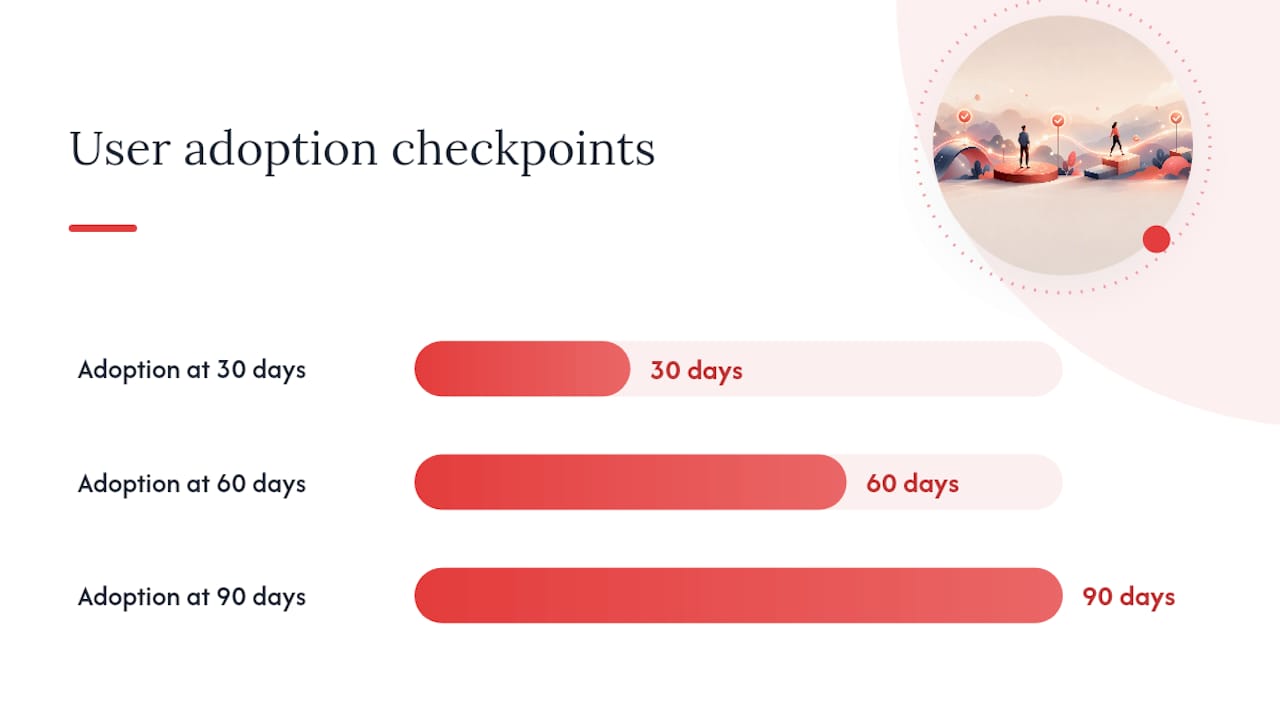
- User adoption rate at 30, 60, and 90 days post-launch
Proof artifacts to request from vendors:
- Migration report with error counts and resolution log
- Error rate dashboard from the first 90 days post-launch
- User adoption metrics at 30/60/90 days
- Before/after cycle time comparison for key operator workflows
How do the top custom tooling approaches compare?
Growth-stage companies evaluating custom admin panel and internal tool approaches generally land in one of three categories. Here’s how they stack up:
| Approach | Pros | Cons |
|---|---|---|
| Full custom engagement (Rule27design) | Complete data ownership, tailored workflows, AI integrations, post-launch support | Higher upfront cost ($150K–$400K), requires discovery investment |
| Starter kit with in-house dev (e.g., Straktur) | One-time cost, code ownership, fast start for teams with dev capacity | Requires internal engineering bandwidth, limited design system support |
| No-code platform (generic category) | Fast setup, low upfront cost, non-technical users can build | Per-seat costs scale fast, logic constraints hit quickly, limited API access |
The right choice depends on your workflow complexity, internal dev capacity, and three-year headcount projection. Teams without dedicated engineering should lean toward a full custom engagement. Teams with strong in-house developers and simpler needs can start with a starter kit foundation and build from there.
What post-launch support do custom tooling vendors typically offer?
Post-launch support varies widely. The best vendors include a named SLA, a documented escalation path, and a scheduled review cadence in the base engagement. The weakest hand off a codebase and disappear.
What to expect from a strong support offering: monthly or quarterly review calls, a monitoring dashboard you can access directly, a documented runbook for common operational tasks, and a clear process for requesting incremental feature work. Rule27design includes a post-launch maintenance plan as a standard deliverable, covering monitoring setup, patching cadence, and a handoff runbook.
Red flags in support agreements: support described only as “email us,” no defined response time for critical incidents, and no documented process for dependency updates. Ask specifically about the incident response SLA before signing.
How do scalability and customization differ across approaches?
No-code platforms hit logic ceilings fast. Per-seat SaaS tools scale in cost, not capability. Custom builds scale in both directions: you add features when you need them and the per-user cost stays flat because you own the code.
The key scalability question isn’t “can this handle more users?” It’s “can this handle more complexity without a rebuild?” A reusable Actions-first architecture lets teams extend capabilities across new UIs and integrations without rebuilding the backend each time. That’s the architectural choice that separates tools that last three years from tools that need replacing in 18 months.
Customization flexibility also affects team autonomy. Shared design systems and governed workspaces let domain teams update content or logic without waiting for engineering. That’s a meaningful operational difference at growth stage, where engineering bandwidth is always constrained.
What UX and interface design benchmarks should you expect?
A custom admin panel should feel faster to use than the SaaS tool it replaces. If operators need training to use it, the UX failed. The benchmark is: a new team member can complete a core workflow without documentation on day one.
Concrete UX expectations: consistent design system across all views, accessible UI meeting WCAG 2.1 AA, keyboard navigation for power users, and loading states that communicate system status clearly. Rule27design builds from a shared component library on every engagement, which means UI consistency is structural, not aspirational. For teams thinking about digital strategy and brand positioning alongside internal tooling, the interface quality of internal tools also signals brand maturity to new hires and investors.
What contract and pricing models should you expect from vendors?
Most custom tooling engagements use one of three pricing models: fixed-fee by phase, time-and-materials with a cap, or retainer-based ongoing development. Fixed-fee by phase is the most predictable for growth-stage budgets.
Avoid contracts that bundle support into a vague “maintenance” line item with no defined scope.
Pricing model comparison: fixed-fee scoping phases give you a cost-controlled entry point before committing to a full build. Time-and-materials works when scope is genuinely uncertain, but always negotiate a cap. Retainer models suit teams that need ongoing incremental development after the initial build. Rule27design offers fixed-fee scoping as the entry point, so you know what you’re committing to before the build starts.
Why platform-agnostic builds win at growth stage
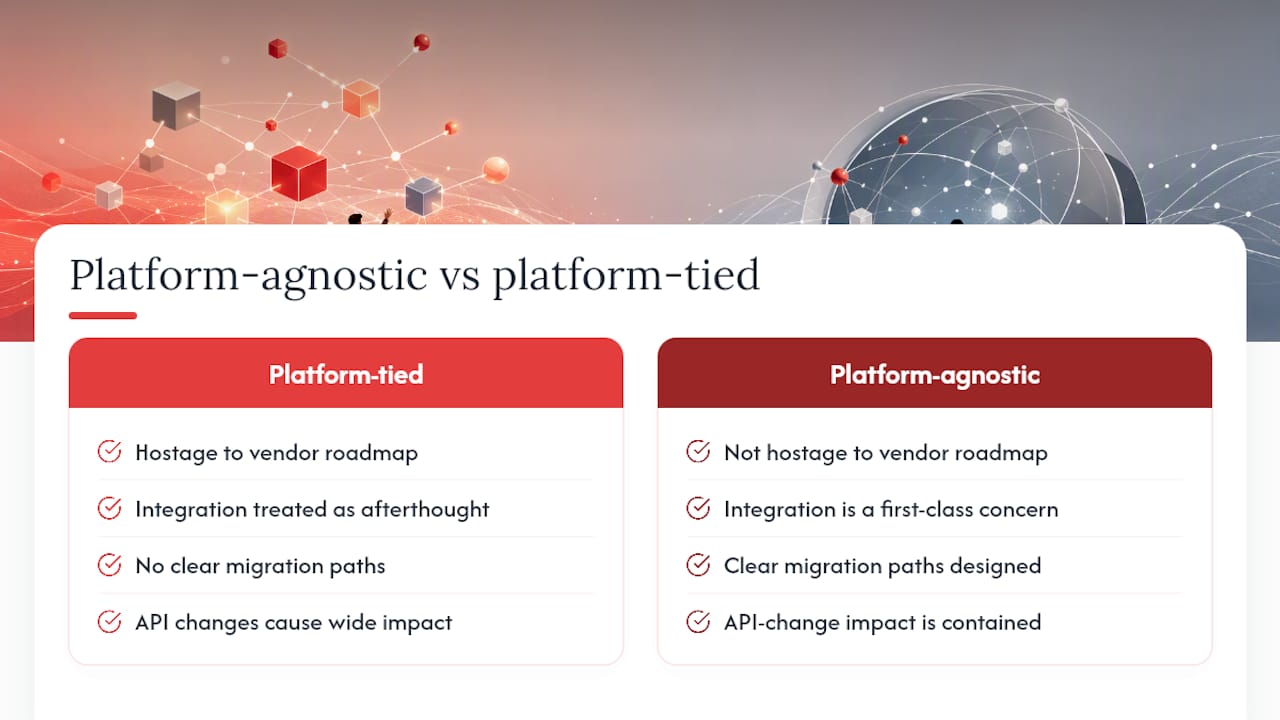
The conventional wisdom says pick a platform and go deep. That’s wrong for growth-stage companies. Platforms change pricing, deprecate features, and get acquired. A platform-agnostic build means your competitive workflows aren’t hostage to a vendor’s roadmap.
Rule27design’s approach prioritizes the integration layer as a first-class engineering concern, not an afterthought. That means clear migration paths for SaaS dependencies are designed in from the start. When a third-party API changes, the impact is contained. When you outgrow a component, you replace it without rebuilding everything around it.
The teams that regret custom builds are the ones that built for today’s headcount and today’s workflows. The teams that get the most value plan for the 3-year version of their company and build the data model to match. That’s the difference between a tool that becomes a liability and one that becomes infrastructure.
Rule27design builds the custom tools your team actually needs
Rule27design delivers custom admin panels, CMS systems, and internal tools built with React, Supabase, and Node.js — platform-agnostic, AI-optimized, and scoped to your exact workflow. The difference from a generic agency: you get a fixed-fee discovery phase, a data migration plan, and a post-launch maintenance commitment before a single line of production code is written.
Growth-stage teams get a 2–4 hour discovery session that produces a domain model, integration map, and fixed-fee scoping estimate. No vague proposals. No surprise seat costs. Just a clear picture of what you’re building and what it costs. Start your scoped discovery with Rule27design and get a concrete next step this week.
Sources

About the Author
Josh AndersonCo-Founder & CEO at Rule27 Design
Operations leader and full-stack developer with 15 years of experience disrupting traditional business models. I don't just strategize, I build. From architecting operational transformations to coding the platforms that enable them, I deliver end-to-end solutions that drive real impact. My rare combination of technical expertise and strategic vision allows me to identify inefficiencies, design streamlined processes, and personally develop the technology that brings innovation to life.
View Profile

