

Unified digital workspace streamlines collaboration, integrates business apps, and cuts workflow friction. Learn core features, key risks, and comparisons.
Nearly 60 percent of American SaaS operations teams report wasted hours due to disconnected digital tools. For growing companies, scattered workflows and patchy collaboration slow down progress and frustrate talented staff. Understanding the real power of a unified digital workspace can change how you lead your team, helping you spot common misconceptions and unlock smarter ways to organize people, data, and daily processes.
Key Takeaways
| Point | Details |
|---|---|
| Unified Digital Workspaces Enhance Collaboration | These platforms streamline communication and document management, enabling teams to work coherently across various locations. |
| Integration Depth is Crucial | A successful unified digital workspace integrates tools effectively, preserving context and enhancing individual productivity. |
| Security and Compliance are Imperative | Organizations must address cybersecurity risks and compliance challenges through holistic strategies that combine technology with user education. |
| Select Solutions that Align with Team Dynamics | Conduct comprehensive assessments of workflow needs and scalability to choose the most suitable unified workspace solution. |
Unified digital workspace explained and misperceptions
A unified digital workspace represents a sophisticated integration platform that transforms how modern operations teams collaborate and execute work. Unlike traditional workplace tools that operate in isolation, this advanced system creates a seamless technological environment where communication, data, and productivity merge into one intelligent interface. Recent academic research highlights the critical distinction between mere digital tools and a truly unified workspace.
The core characteristics of an effective digital workspace include:
- Centralized access to multiple business applications
- Real-time collaboration capabilities
- Cross-platform compatibility
- Advanced security protocols
- Intelligent workflow optimization
Many organizations misunderstand digital workspaces as simple application collections, when in reality, they represent complex, context-aware systems designed to enhance operational efficiency. Scientific research from digital workplace studies emphasizes that these platforms are not just technological solutions, but strategic frameworks that fundamentally reshape how teams interact and produce value.
The key differentiator lies in integration depth. A genuine unified digital workspace doesn’t just aggregate tools but creates an intuitive ecosystem where data flows seamlessly, context is preserved across platforms, and individual productivity is dramatically enhanced. Successful implementation requires understanding your specific operational needs and selecting a solution that adapts to your team’s unique workflow dynamics.
Pro Performance Tip: Start small by mapping your team’s current tool ecosystem and identify integration points before selecting a comprehensive digital workspace solution. Focus on platforms that offer flexible customization and native security features to ensure smooth organizational adoption.
Core components and technology integrations
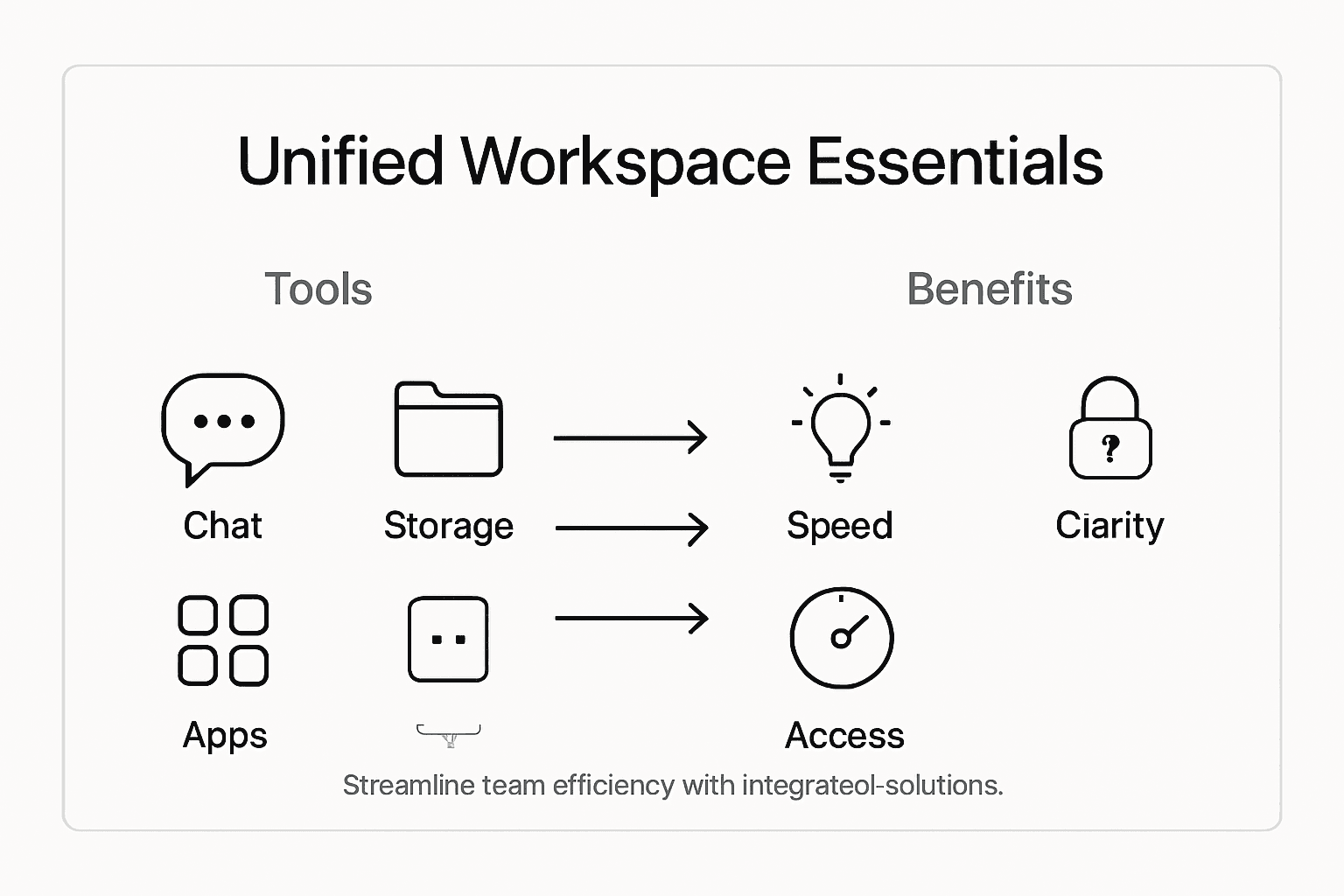
Digital workspace technology represents a complex ecosystem of interconnected systems designed to optimize organizational productivity. According to a 2024 Omdia report, successful integration hinges on strategic alignment of multiple technological components that work seamlessly to support modern business operations.
The critical core components of an advanced digital workspace include:
- Centralized Identity Management
- Single sign-on capabilities
- Multi-factor authentication
- Role-based access controls
- Communication Platforms
- Integrated messaging systems
- Video conferencing tools
- Collaborative document sharing
- Device Management
- Cross-platform compatibility
- Mobile and desktop synchronization
- Remote device configuration
Technology integration goes far beyond simply connecting software applications. It involves creating an intelligent, adaptive ecosystem where data flows smoothly, security remains robust, and user experience stays consistently intuitive. This means developing infrastructure that supports hybrid work models, enables real-time collaboration, and provides contextual access to critical business resources across different devices and locations.

Successful implementation requires a holistic approach that balances technological capability with user-centric design. Organizations must carefully evaluate their specific workflow requirements, existing technological infrastructure, and future scalability needs when selecting and integrating digital workspace solutions.
Pro Performance Tip: Conduct a comprehensive technology audit before implementing a unified digital workspace, identifying current integration gaps and potential optimization opportunities to ensure a smoother, more strategic technological transformation.
Types of unified workspace solutions
Unified workspace solutions represent a diverse ecosystem of technological platforms designed to meet varying organizational needs. Comprehensive software reviews reveal four primary categories of solutions that enable modern businesses to streamline collaboration and productivity across complex work environments.
The primary types of unified workspace solutions include:
- Browser-Based Aggregators
- Lightweight, web-accessible platforms
- Quick integration with existing tools
- Minimal infrastructure requirements
- SaaS-Based Productivity Suites
- Comprehensive cloud-based ecosystems
- Integrated communication and collaboration tools
- Scalable across different organizational sizes
- Secure Enterprise Digital Platforms
- Advanced security and compliance features
- Customizable access controls
- Deep organizational workflow integration
- Open-Source Customizable Environments
- Maximum flexibility and configuration options
- Lower initial implementation costs
- Community-driven development and support
Detailed platform guides highlight that each solution type addresses specific organizational challenges. Cloud-native workspaces like Microsoft 365 and Google Workspace offer centralized communication and content management, while virtual desktop infrastructures provide robust remote work capabilities. The key is selecting a solution that aligns precisely with your team’s unique operational requirements and technological ecosystem.
Here’s a concise comparison of unified digital workspace solution types and their ideal organizational use cases:
| Solution Type | Key Strength | Best Use Scenario |
|---|---|---|
| Browser-Based Aggregator | Fast deployment, simple access | Small teams needing quick integration |
| SaaS Productivity Suite | All-in-one collaboration, scalability | Growing businesses with remote needs |
| Secure Enterprise Platform | Advanced security, deep integration | Regulated industries, large enterprises |
| Open-Source Environment | Customizable, cost-effective | Organizations with unique workflow needs |
Successful implementation demands a strategic approach that goes beyond feature comparison. Organizations must conduct thorough assessments of their current workflow, future scalability needs, security requirements, and user experience expectations. This holistic evaluation ensures selecting a unified workspace solution that genuinely enhances rather than disrupts existing operational dynamics.
Pro Strategic Selection Tip: Create a detailed requirements matrix comparing your organization’s specific needs against each workspace solution type, prioritizing integration capabilities, security features, and long-term scalability before making a final selection.
How unified workspaces improve collaboration
Team collaboration has undergone a radical transformation with the emergence of unified digital workspaces. Research from CIO Talk Network reveals that these platforms fundamentally reshape how distributed teams communicate, coordinate, and execute complex projects by eliminating traditional productivity barriers.
Key collaboration improvements include:
- Streamlined Communication
- Instant messaging integration
- Video conferencing capabilities
- Contextual conversation threading
- Enhanced Document Management
- Real-time collaborative editing
- Version control systems
- Centralized file repositories
- Cross-Functional Transparency
- Shared project dashboards
- Role-based access controls
- Comprehensive activity tracking
Academic research examining collaborative technologies demonstrates that unified workspaces dramatically reduce communication friction. By providing a single, integrated environment where team members can seamlessly share information, track progress, and make collective decisions, these platforms create a more cohesive and responsive organizational ecosystem. The elimination of app-switching and context-shifting allows teams to maintain momentum and focus on delivering high-value outcomes.
Successful implementation requires more than technological deployment. Organizations must cultivate a collaborative culture that embraces digital transformation, investing in user training and change management to ensure teams fully leverage the potential of unified workspace platforms. This means creating clear communication protocols, establishing shared workflow expectations, and continuously refining the digital collaboration infrastructure.
Pro Collaboration Optimization Tip: Develop a comprehensive onboarding program that teaches team members not just how to use the unified workspace tools, but how to fundamentally reimagine their collaborative workflows within this new integrated environment.
Risks, costs, and security considerations
Digital workspace security represents a complex landscape of technological and human-centric challenges. Systematic research from cybersecurity studies reveals that unified workspace implementations involve intricate risk management strategies extending far beyond traditional technological safeguards.
Key security risks and considerations include:
- Cybersecurity Vulnerabilities
- Phishing attack potential
- Device misconfiguration risks
- Insecure network connectivity
- Compliance Challenges
- Data privacy regulations
- Cross-border information management
- User authentication protocols
- Financial Investment Factors
- Initial technology deployment costs
- Ongoing security training expenses
- Continuous monitoring infrastructure
Workforce experience research emphasizes that effective security goes beyond technological solutions. Organizations must develop comprehensive strategies incorporating Zero Trust frameworks, centralized authentication mechanisms, and robust remote access protocols. This holistic approach demands continuous investment in both technological infrastructure and human capability development.
This table summarizes major security risks and shows strategies organizations use to mitigate them:
| Security Risk | Typical Threat | Common Mitigation |
|---|---|---|
| Phishing Attacks | Fake emails, account theft | Email filtering, user training |
| Device Misconfiguration | Unauthorized access | Centralized device management |
| Data Privacy Compliance | Regulatory fines | Regular audits, encryption |
| Remote Access Vulnerability | Network breaches | Zero Trust, VPN solutions |
Successful risk mitigation requires a multifaceted approach that balances technological sophistication with practical implementation. This means creating adaptive security frameworks that can respond quickly to emerging threats, developing clear organizational policies, and fostering a culture of cybersecurity awareness among team members. Technical solutions must be complemented by ongoing education and proactive threat detection strategies.
Pro Security Implementation Tip: Develop a comprehensive security onboarding program that combines technical training with scenario-based learning, ensuring employees understand not just security protocols, but the underlying rationale for protecting organizational digital assets.
Unified workspace vs. alternative approaches
Digital collaboration strategies represent a complex spectrum of technological solutions with distinct operational implications. Contemporary research examining organizational approaches reveals significant performance variations between unified workspaces and alternative collaboration models.
Key comparative dimensions include:
- Operational Continuity
- Unified workspace: Seamless integration
- Alternative approaches: Fragmented workflows
- Data Management
- Unified workspace: Centralized control
- Alternative approaches: Decentralized repositories
- Scalability
- Unified workspace: Easy organizational expansion
- Alternative approaches: Limited adaptability
- Cost Efficiency
- Unified workspace: Consolidated infrastructure
- Alternative approaches: Multiple technology investments
Authoritative organizational guides demonstrate that integrated digital workspaces consistently outperform disconnected solutions. While alternative approaches like coworking spaces and ad hoc toolkits offer superficial flexibility, they often create hidden inefficiencies, communication barriers, and increased administrative complexity.
Successful digital transformation requires a strategic approach that transcends simplistic technology selection. Organizations must critically evaluate their specific operational requirements, team dynamics, and long-term scalability needs. This means understanding that the most advanced technological solution is not always the most appropriate one, but rather the platform that most naturally aligns with existing organizational culture and workflow patterns.
Pro Strategic Selection Tip: Conduct a comprehensive workflow audit before selecting your digital collaboration approach, mapping existing communication patterns, identifying current friction points, and developing a technology strategy that evolves with your organizational needs.
Unlock True Team Efficiency with Customized Unified Digital Workspaces
The article highlights the challenge many growing SaaS teams face when off-the-shelf digital workspace solutions fall short of their unique workflow needs or require costly enterprise software. If your organization struggles with fragmented tools, limited integration, or inefficient collaboration, it is time for a tailored approach that reflects your operational realities. Embrace the power of a unified digital workspace designed around your team’s actual processes with Rule27 Design.
Our expertise lies in creating custom admin panels, content management systems, and internal tools that seamlessly integrate communication, project tracking, and data analytics. This deep alignment boosts productivity, simplifies collaboration, and enhances security across your software ecosystem. Don’t settle for one-size-fits-all platforms. Experience up to 40 percent operational efficiency gains by partnering with a team that understands both the technical and business sides of unified digital workspaces. Explore how our solutions can transform your team’s productivity today at Rule27 Design. Learn more about our approach to building custom admin panels and digital infrastructure services tailored for ambitious companies ready to scale.
Frequently Asked Questions
What is a unified digital workspace?
A unified digital workspace is an integrated platform that enhances collaboration and productivity by merging communication, data, and various business applications into a single interface.
How does a unified digital workspace improve team efficiency?
It streamlines communication, enhances document management, and provides cross-functional transparency, allowing teams to collaborate seamlessly and maintain momentum on projects.
What are the key components of a unified workspace solution?
Key components include centralized identity management, communication platforms, device management, and seamless integration of existing systems for enhanced productivity.
What security considerations should organizations have for digital workspaces?
Organizations should address cybersecurity vulnerabilities, compliance challenges, and financial investment factors, incorporating invasive security strategies and continuous monitoring to protect digital assets.

About the Author
Josh AndersonCo-Founder & CEO at Rule27 Design
Operations leader and full-stack developer with 15 years of experience disrupting traditional business models. I don't just strategize, I build. From architecting operational transformations to coding the platforms that enable them, I deliver end-to-end solutions that drive real impact. My rare combination of technical expertise and strategic vision allows me to identify inefficiencies, design streamlined processes, and personally develop the technology that brings innovation to life.
View Profile

