

Discover what admin panels are, why they're essential for backend operations, and how to choose between low-code, open source, or custom builds for your growth-stage company.
Most people think admin panels are just simple user interfaces for clicking buttons and updating settings. The reality? They’re sophisticated systems that orchestrate your entire backend operation, handling everything from user authentication to content workflows and data security. For product managers at growth-stage companies, understanding admin panels isn’t optional anymore. The right admin system can slash operational costs by 40% while the wrong approach can delay product launches by months. This guide breaks down what admin panels really are, why they matter for your team’s efficiency, and how to choose the best development path for your specific needs.
Key takeaways
| Point | Details |
|---|---|
| Admin panels control backend operations | They manage users, content, permissions, and system settings that power your application |
| Development approach impacts timeline | Low-code offers speed, open source provides flexibility, custom builds deliver maximum control |
| Efficiency gains are measurable | Teams report 24% labor time reduction and error rates dropping from 11% to 2% |
| Planning prevents costly refactoring | Upfront investment in scalable architecture saves months of development time later |
| Adoption depends on design quality | Intuitive interfaces tailored to workflows can achieve 98% team adoption within weeks |
What is an admin panel and why is it essential?
An admin panel manages backend operations including users, content, permissions, and system settings. Think of it as the control center where your operations team orchestrates everything happening behind the scenes of your application. Without direct backend access, your team can still manage complex workflows, moderate content, adjust configurations, and monitor system health.
The core functions include user management, content moderation, data visualization, role-based permissions, and system settings adjustment. You’re not just building forms and tables. You’re creating a secure environment where team members can perform critical operations without touching code or risking data integrity.
Here’s what makes admin panels complex:
- Authentication systems that verify user identity and maintain session security
- Authorization layers that enforce role-based access control across different permission levels
- Secure API endpoints that protect sensitive data during transmission
- Consistent design patterns that ensure usability across hundreds of potential actions
- Real-time data synchronization that keeps information current across multiple users
“The best admin panels become invisible to users. They just work, enabling teams to focus on strategy rather than wrestling with tools.”
For product managers and operations teams, admin panels are essential infrastructure. They empower you to efficiently oversee business processes, respond quickly to user needs, and scale operations without proportionally scaling headcount. When your content team can publish updates instantly, your support team can resolve issues in seconds, and your analytics team can generate reports on demand, you’ve built genuine competitive advantage.
Challenges and considerations when building admin panels
Building admin panels from scratch consumes weeks or months of development time. What looks like a straightforward interface actually requires deep expertise in frontend frameworks, backend integration, security protocols, and user experience design. Many product managers underestimate this complexity until they’re three months into development with nothing to show users.

The technical requirements are substantial. Admin panels need authentication, authorization, secure APIs, and consistent design patterns across every feature. Each CRUD operation requires validation logic, error handling, optimistic updates, and rollback mechanisms. Role-based access control means building permission systems that scale from three roles to thirty without breaking. API security demands rate limiting, input sanitization, and audit logging for compliance.
Here’s the development reality in order of impact:
- Frontend developers spend 60% of their time on repetitive table and form creation
- Backend engineers build custom endpoints for each admin function instead of reusable patterns
- Security reviews uncover authentication gaps requiring weeks of refactoring
- UI inconsistencies emerge as different developers implement similar features differently
- Performance degrades as data volumes grow beyond initial testing scenarios
Developers often find these tasks monotonous. Creating the hundredth data table or form doesn’t spark the same enthusiasm as building customer-facing features. This reduced motivation can slow velocity and increase bugs. When your best engineers are grinding through admin panel work, they’re not innovating on your core product.
Startups rushing to MVP frequently sacrifice admin panel quality. You launch with basic functionality, then discover you can’t efficiently manage the users you’ve acquired. Scaling becomes painful. Simple operations require manual database queries. Your operations team begs for better tools while your engineering team tackles a growing backlog of admin improvements alongside feature development. Understanding backend architecture for SaaS helps avoid these pitfalls.
Pro Tip: Invest two weeks in planning your admin panel architecture before writing code. Map out all user roles, permissions, and workflows. This upfront work prevents months of refactoring when you realize your initial design can’t support the access control patterns your business actually needs.
Options for creating admin panels: low-code, open source, or custom build
You have three main paths for admin panel development, each with distinct trade-offs for speed, control, and long-term flexibility.
Low-code platforms enable rapid CRUD development and dashboard creation. They’re ideal for teams without dedicated frontend developers or projects where speed trumps customization. You can launch a functional admin panel in days rather than months. The visual builders handle common patterns like data tables, forms, and charts without writing code. However, you’re constrained by the platform’s capabilities. Custom workflows or unique UI requirements often hit walls.
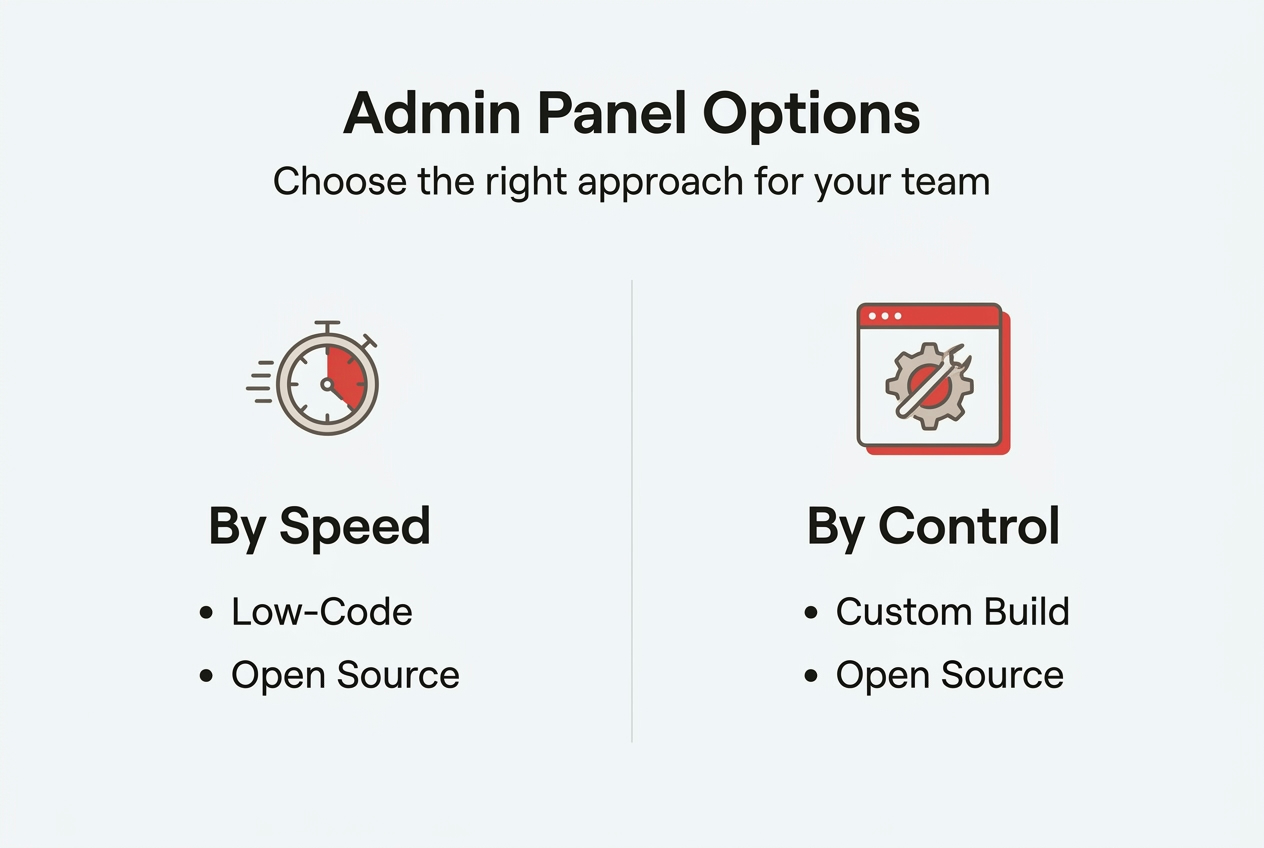
Open source solutions provide long-term flexibility at the cost of initial setup time. Frameworks like React Admin or Refine give you building blocks rather than finished products. You’ll write code, but you’re not starting from zero. These tools handle authentication, routing, and common UI patterns while letting you customize everything. The learning curve is steeper than low-code, but you avoid vendor lock-in and can adapt as requirements evolve.
Custom builds offer maximum flexibility but demand the longest development timeline. You control every pixel and every API call. This approach makes sense when your workflows are truly unique or when admin panel functionality is core to your competitive advantage. The cost is measured in months of engineering time and delayed product launches. Most growth-stage companies discover their admin needs aren’t unique enough to justify this investment.
| Approach | Speed | Control | Customization | Cost | Best For |
|---|---|---|---|---|---|
| Low-code | Days to weeks | Limited | Template-based | Low to medium | MVPs, standard workflows, small teams |
| Open source | Weeks to months | High | Extensive | Medium | Long-term projects, technical teams |
| Custom build | Months | Complete | Unlimited | High | Unique requirements, core differentiators |
The right choice depends on your specific context. Consider your team’s technical capabilities, timeline pressure, budget constraints, and how differentiated your admin workflows need to be. A low-code solution that ships in two weeks beats a custom build that’s still in development six months later. Exploring intuitive interface design principles helps regardless of your chosen approach.
Pro Tip: Start with the simplest approach that meets your immediate needs. You can always migrate to a more sophisticated solution later. Premature optimization of admin tools wastes resources you could invest in customer-facing features that drive revenue.
Admin panels in action: improving efficiency and reducing errors
Real-world implementations demonstrate measurable impact. A monday.com CRM admin panel reduced labor time by 24% in under 12 weeks. The operations team saved 290+ hours in just three months by automating status updates and streamlining data entry workflows. That’s equivalent to hiring an additional part-time employee without the overhead.
Error rates tell an even more compelling story. Before implementation, status alignment errors between CRM and delivery boards hit 11%. Manual data transfer between systems created constant mismatches. After deploying the admin panel, errors dropped to 2%. The improved accuracy eliminated customer confusion and reduced support tickets related to order status inquiries.
Adoption metrics reveal the importance of user experience. This same CRM system achieved 98% team adoption by week six. When admin tools match how people actually work, they don’t need extensive training or constant reminders. The interface felt intuitive because it was designed around existing workflows rather than forcing teams to adapt to rigid software patterns.
| Metric | Before | After | Improvement |
|---|---|---|---|
| Admin labor time | Baseline | 24% reduction | 290+ hours saved in 3 months |
| Error rate | 11% | 2% | 82% reduction in errors |
| Team adoption | Varied | 98% | By week 6 |
| Cost avoidance | N/A | $17,400 | Within 12 weeks |
The efficiency gains translate directly to cost avoidance. Saving 290 hours at an average operational cost of $60 per hour equals $17,400 in value creation within the first quarter. These aren’t projections or estimates. They’re measured outcomes from actual implementation.
Key benefits for growth-stage companies include:
- Faster decision-making through real-time data access and visualization
- Reduced training time as intuitive interfaces require minimal onboarding
- Lower error rates from automated workflows and validation rules
- Increased team capacity as automation handles repetitive tasks
- Better compliance through audit trails and permission controls
The pattern repeats across industries. Well-designed admin panels don’t just make existing work easier. They fundamentally change what’s possible for operations teams. Tasks that previously required developer intervention become self-service. Workflows that took hours compress to minutes. Data that lived in spreadsheets becomes actionable intelligence. Understanding custom business systems helps you capture similar gains.
Discover custom admin panel solutions with Rule27 Design
You’ve seen how the right admin panel transforms operational efficiency. Now consider what’s possible when that system is built specifically for your workflows, your team, and your growth trajectory.
Rule27 Design specializes in creating scalable, intuitive admin panels for growth-stage companies. We’ve helped teams achieve that 40% efficiency improvement by designing systems that match how people actually work. Our process emphasizes flexibility so your tools evolve with your business, security so you can trust your data, and efficiency so your team focuses on strategy rather than wrestling with software. We combine clean interfaces with robust backend architecture, using modern tech stacks including React, Supabase, and Node.js. Whether you need content management, user administration, or business intelligence dashboards, we build custom solutions that save time, reduce errors, and increase adoption. Let’s discuss how we can streamline your backend management and give your operations team the tools they deserve.
Frequently asked questions
What is the primary function of an admin panel?
Admin panels provide centralized control over backend operations including user management, content moderation, permission settings, and system configuration. They enable non-technical team members to perform critical administrative tasks without direct database access or coding knowledge.
How do admin panels improve workflow efficiency?
Admin panels centralize control over users, content, and processes, enabling faster management and reducing manual errors. Teams can automate repetitive tasks, access real-time data for quicker decisions, and self-service common operations that previously required developer intervention.
What are the main types of admin panel development approaches?
The three main approaches are low-code platforms for rapid development with minimal coding, open source solutions offering flexibility and customization, and fully custom-built panels providing maximum control. Each balances speed, cost, and flexibility differently based on your team’s resources and requirements.
How long does it typically take to build an admin panel from scratch?
Development timelines range from weeks to months depending on complexity and feature requirements. Low-code solutions can launch in days, open source implementations take weeks to months, while custom builds often extend beyond three months and can delay product launches if underestimated.
Why is secure authentication important in admin panels?
Secure authentication and authorization protect sensitive backend data from unauthorized access and ensure operational integrity. Admin panels control critical business functions, user data, and system settings, making robust security essential for compliance, trust, and preventing costly breaches.
How can adoption rates of admin panels be increased?
Designing intuitive interfaces tailored to your team’s existing workflows significantly improves adoption. Involve users in the design process, provide adequate training, ensure the system solves real pain points, and iterate based on feedback to create tools people actually want to use.

About the Author
Josh AndersonCo-Founder & CEO at Rule27 Design
Operations leader and full-stack developer with 15 years of experience disrupting traditional business models. I don't just strategize, I build. From architecting operational transformations to coding the platforms that enable them, I deliver end-to-end solutions that drive real impact. My rare combination of technical expertise and strategic vision allows me to identify inefficiencies, design streamlined processes, and personally develop the technology that brings innovation to life.
View Profile

