

Learn how to diagnose, streamline, and measure your internal tools to drive 20-30% productivity gains and cut SaaS waste across your growth-stage team.
Tool sprawl is quietly killing your team’s momentum. The average growth-stage SaaS company is running far more apps than anyone realizes, and organizations underestimate app inventory by 2x, meaning wasted licenses, duplicated workflows, and invisible costs pile up fast. The real damage isn’t just the software bill. It’s the context-switching, the broken handoffs, and the data locked in silos that never talk to each other. This guide gives you a clear, step-by-step framework to diagnose inefficiencies, prepare for meaningful change, execute smart optimizations, and measure every gain along the way.
Key Takeaways
| Point | Details |
|---|---|
| Benchmark before optimizing | Audit all existing tools, workflows, and inefficiencies to target the biggest gains. |
| Prioritize consolidation and automation | Eliminate redundant SaaS tools and automate repetitive processes for the fastest impact. |
| Measure and iterate | Set clear efficiency KPIs, monitor user feedback, and refine continuously for lasting benefits. |
| Adopt a product mindset | Manage internal tools with ownership, design thinking, and analytics for scalable growth. |
Diagnosing internal tool inefficiencies
With the stage set on why internal tool optimization matters, let’s pinpoint exactly where the problems and opportunities lie.
Most operational leaders already sense something is off. Tickets take too long. Reports feel stale. Teams build workarounds instead of using the tools you paid for. But sensing a problem and knowing where it lives are two different things.
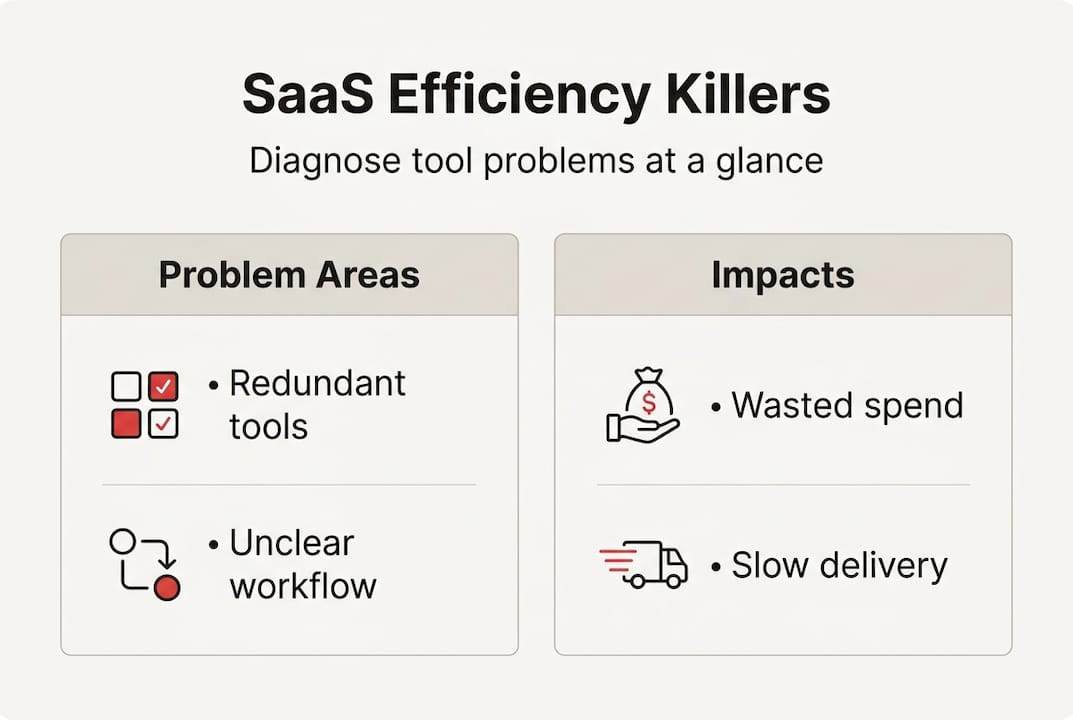
The four most common culprits are redundant tools, unclear workflows, Shadow IT (apps your team adopted without IT approval), and data silos. Each one compounds the others. Shadow IT creates new silos. Silos make workflows murky. Murky workflows push people toward yet another tool.
Here’s a quick snapshot of what diagnosis typically reveals:
| Problem area | Typical impact | Diagnostic method |
|---|---|---|
| Redundant tools | 15-25% wasted SaaS spend | App inventory audit |
| Shadow IT | Security gaps, duplicate data | IT log review + team surveys |
| Unclear workflows | Missed handoffs, rework | Workflow mapping sessions |
| Data silos | Slow decisions, manual exports | Integration audit |
To get a real picture, start with three moves. First, run a full app inventory. Pull your billing records, IT logs, and ask team leads what they actually use daily. Second, do workflow mapping. Workflow mapping to identify inefficiencies, paired with user interviews and modular design reviews, is one of the most reliable ways to surface bottlenecks. Third, benchmark your current state.
The numbers are worth knowing. Workflow optimization improves efficiency 5-15%, while well-designed internal tools can push productivity gains to 20-30%. That’s not a rounding error. That’s a meaningful competitive edge.
“The tools your team avoids are costing you more than the ones they love.”
When you optimize workflows with real data behind you, the fixes become obvious fast. The goal here isn’t to judge past decisions. It’s to get a clear map so every next step is intentional. Strong workflow efficiency starts with knowing exactly what you’re working with.
Preparing for optimization: Requirements, team input, and tool inventory
Once you’ve spotted inefficiencies and redundancies, set the stage for meaningful change by organizing data, requirements, and buy-in.

This phase is where most optimization efforts either gain traction or quietly stall. The temptation is to jump straight to solutions. Resist it.
Start by pulling together a cross-functional group. You need voices from ops, IT, finance, and the end-users who live inside these tools every day. Each group sees a different slice of the problem. Finance sees license costs. IT sees security gaps. End-users see friction.
Next, conduct a structured tool inventory. Categorize every application into one of three buckets:
- Core tools — mission-critical, used daily by most of the team
- Supporting tools — useful but not essential, potential consolidation targets
- Redundant or unused tools — overlap with core tools or have near-zero adoption
Once you have the inventory, build a requirements table. This separates what you actually need from what would just be nice to have.
| Requirement | Must-have | Nice-to-have |
|---|---|---|
| Single sign-on (SSO) | ✓ | |
| Real-time reporting | ✓ | |
| Custom role permissions | ✓ | |
| White-label interface | ✓ | |
| Native mobile app | ✓ |
This table becomes your filter. Every proposed tool or upgrade gets measured against it. It also keeps stakeholder conversations focused and prevents scope creep.
Pro Tip: Start with 1-3 pilot teams before rolling out any change organization-wide. Iterate on their feedback, fix the edge cases, and then scale. This approach protects the rest of the organization from disruption while you validate the process.
Also think about team collaboration software as part of your requirements review. The way teams communicate around tools matters as much as the tools themselves. And if content workflows are part of your stack, reviewing CMS features for SaaS teams is a smart parallel track.
Executing the optimization: Strategies and actionable steps
Armed with knowledge and alignment, it’s time to tackle the optimization itself, from strategy selection to hands-on steps.
This is where the plan becomes action. The four core moves are consolidation, automation, governance, and workflow redesign. Done in sequence, they build on each other.
Step 1: Consolidate overlapping tools. Consolidate redundant SaaS tools and establish governance to manage tool sprawl. The results can be dramatic. Real-world 38% tool cost cuts via consolidation have been documented, along with over $2M in eliminated SaaS waste and 80% reductions in SQL warehouse costs. These aren’t outliers. They’re what focused consolidation looks like.
Step 2: Automate repetitive processes. Map every manual handoff in your workflows. Anything that runs on copy-paste or scheduled reminders is a candidate for automation. Use APIs to connect tools that should already be talking to each other.
Step 3: Establish governance policies. Set clear ownership for every tool. Define who can approve new software, who manages licenses, and how access is granted or revoked. This prevents the Shadow IT cycle from restarting.
Step 4: Redesign for modularity and self-service. Build workflows so teams can get what they need without filing a ticket. Modular design means you can swap components without rebuilding everything. Check out building scalable SaaS products for solid architecture principles that apply directly here.
Pro Tip: Custom dashboards are one of the fastest wins during execution. A single well-designed dashboard can replace three separate reporting tools and cut the time your team spends pulling data by half.
Solid backend architecture decisions made during this phase will determine how well your optimized stack scales. Don’t treat it as an afterthought.
- Audit API connections between core tools
- Remove duplicate data entry points
- Assign a named owner to every tool in your stack
- Set a quarterly review cadence for license usage
Measuring results and avoiding common pitfalls
After execution, proving and sustaining gains is essential. Here’s how to track your ROI and sidestep costly mistakes.
Optimization without measurement is just change. You need numbers to know if what you did actually worked, and to make the case for continued investment.
Start with these KPIs:
- Tool count reduction — how many apps did you eliminate?
- License cost savings — direct dollar impact from consolidation
- Workflow cycle time — how long does a key process take now vs. before?
- User satisfaction score — are teams actually happy with the new setup?
- ARR per employee — a proxy for overall operational leverage
For deeper visibility, use APM for bottlenecks and modular internal developer platforms to cut dev time on future improvements. Application performance monitoring catches slowdowns before users start complaining.
Stat to know: Workflow optimization drives 5-15% efficiency gains in most organizations. Pair that with a clean tool stack and you’re compounding the benefit.
Now for the pitfalls. Three show up constantly.
Premature optimization is the most common. Teams start redesigning workflows before they’ve finished the inventory. Fix the foundation first.
Poor data migration during tool consolidation can corrupt records and erode trust in the new system fast. Always validate data integrity before decommissioning an old tool.
Ignoring shadow IT means the problem grows back. Even after cleanup, new unauthorized tools will appear unless you have governance in place.
Pro Tip: Run A/B tests on workflow changes before full rollout. Give one team the new process and another the old one for two weeks. The data will tell you what the opinions won’t.
Building workflow visibility into your stack makes ongoing monitoring much easier. And understanding the broader role of optimized software in business performance helps you frame these wins for leadership.
A contrarian take: Why treating internal tools as products is your next growth lever
With the process and measurement in hand, it’s worth reconsidering how your organization fundamentally approaches internal tool investments.
Here’s the uncomfortable truth. Most SaaS companies obsess over their customer-facing product while treating internal tools like a utility bill. They get the minimum viable attention and the cheapest acceptable solution. That’s a strategic mistake.
When you treat internal tools as products with self-service internal developer platforms, you scale efficiency without creating engineering bottlenecks. You build feedback loops. You assign ownership. You iterate.
The companies pulling ahead aren’t just cutting tool costs. They’re building internal systems with the same rigor they apply to their core product. That means UX reviews, usage analytics, and real support for internal users.
Treating tools as cost centers keeps you in a reactive mode. Treating them as products puts you in a compounding growth loop. Your custom CRM solutions and admin panels deserve a product roadmap, not just a maintenance budget. That mindset shift is what separates teams that scale cleanly from teams that hit a wall at 50 or 100 people.
Take your internal tool strategy even further
Ready to move faster? Rule27 Design builds the kind of internal tools that actually match how your team works.
From workflow mapping and tool selection to custom dashboards and admin panels, we design systems that improve operational efficiency and give your team real visibility into what’s happening. Our clients typically see 40% gains in operational efficiency after implementation. If you’re ready to go deeper, explore our guide on CMS features for SaaS content teams or reach out to talk through your specific stack. The right internal infrastructure isn’t a luxury. It’s your next growth lever.
Frequently asked questions
What is the fastest way to identify redundant internal tools?
Conduct a tool inventory and cross-check with team leads to spot overlapping functions or unused applications. Organizations underestimate app inventory by 2x, so the actual redundancy is usually bigger than it looks.
How much can workflow optimization increase SaaS team productivity?
Workflow optimization improves efficiency 5-15%, and well-designed internal tools can push productivity gains to 20-30% on average. The combination of both is where the real compounding happens.
What are common mistakes SaaS companies make when upgrading internal tools?
Premature optimization, poor data migration, and ignoring shadow IT are the most frequent mistakes. Avoiding premature optimization and ensuring data fidelity during migrations are critical to a clean upgrade.
How can you measure success after optimizing internal tools?
Track tool cost savings, user satisfaction, workflow cycle time, and ARR per employee as your core metrics. 38% tool cost reductions are achievable with focused consolidation, making cost savings one of the clearest early signals of success.

About the Author
Josh AndersonCo-Founder & CEO at Rule27 Design
Operations leader and full-stack developer with 15 years of experience disrupting traditional business models. I don't just strategize, I build. From architecting operational transformations to coding the platforms that enable them, I deliver end-to-end solutions that drive real impact. My rare combination of technical expertise and strategic vision allows me to identify inefficiencies, design streamlined processes, and personally develop the technology that brings innovation to life.
View Profile

