

Clean UI design drives efficiency and user satisfaction. Learn essential principles, features, common pitfalls, and its role in business systems.
More than 60 percent of American users say they feel frustrated by cluttered digital interfaces. Clean UI design addresses this challenge by cutting through visual noise to make websites and apps feel effortless and intuitive. When American brands focus on clarity, information hierarchy, and simplicity, they not only improve user satisfaction but also see dramatic increases in engagement and conversions. Discover how adopting these principles can transform everyday interactions into seamless digital experiences.
Key Takeaways
| Point | Details |
|---|---|
| Emphasize Clarity | Ensure every visual element serves a specific purpose and avoids confusion for users. |
| Maintain Information Hierarchy | Organize visual elements effectively to guide user attention and enhance readability. |
| User-Centric Design is Critical | Conduct regular user testing to validate design decisions and improve usability. |
| Investment in UI Design Pays Off | A well-designed clean UI can lead to significant improvements in user engagement and business performance. |
Defining Clean UI Design Principles
Clean UI design represents a strategic approach to creating digital interfaces that prioritize user comprehension, efficiency, and aesthetic simplicity. At its core, clean UI design is about removing unnecessary complexity and focusing on delivering clear, purposeful visual communication. Modern research on interface generation demonstrates that sophisticated design isn’t about adding more elements, but strategically minimizing cognitive load for users.
The fundamental principles of clean UI design encompass several critical attributes. First, clarity remains paramount - every visual element must serve a specific purpose without introducing confusion. This means using consistent typography, limited color palettes, and intuitive navigation structures. Academic studies highlight the importance of accessibility and concise design language as key mechanisms for creating interfaces that feel both intelligent and user-friendly.
Effective clean UI design also emphasizes intelligent information hierarchy. This involves strategically organizing visual elements to guide user attention, create natural reading patterns, and ensure critical information stands out. Designers achieve this through techniques like proper white space management, proportional scaling, and creating visual momentum that leads users seamlessly through complex digital experiences. The goal isn’t just aesthetic appeal, but creating interfaces that feel almost invisible - so intuitive that users can accomplish tasks without cognitive friction.

Pro Tip for UI Design: Conduct regular user testing and heatmap analyses to validate your design decisions, ensuring your clean UI actually reduces user cognitive load and improves interaction efficiency.
Key Elements of Clean UI Interfaces
Clean UI interfaces are built on strategic design principles that transform complex digital experiences into intuitive, user-friendly interactions. Research comparing minimalist and cluttered interfaces reveals that simplicity dramatically improves user task efficiency and overall engagement. The key is not just removing elements, but carefully curating each visual component to serve a precise purpose.
The foundational elements of clean UI design include strategic visual organization, which involves three critical aspects. First, visual hierarchy guides user attention through intentional placement, size, and color contrast. Second, consistent typography creates predictable reading patterns, using limited font families and clear size gradations. Third, whitespace becomes an active design element, providing visual breathing room that helps users process information without overwhelming cognitive load.
Advanced interface research demonstrates that perceptual grouping of graphical elements plays a crucial role in creating seamless user experiences. This means designing interfaces where related elements are visually connected through proximity, similarity, and logical arrangement. Effective clean UI interfaces use subtle visual cues like consistent alignment, balanced negative space, and intuitive navigation paths that feel almost invisible to users. The ultimate goal is creating an interface so natural that users can accomplish tasks without consciously thinking about the design mechanics.
Pro Tip for Interface Design: Always prototype and test your UI with actual users, focusing on their intuitive navigation paths and emotional response to the design’s simplicity and clarity.
Common Misconceptions and Mistakes
Many designers fall into predictable traps when attempting to create clean UI interfaces, mistaking simplicity for a one-size-fits-all approach. One prevalent misconception is that minimalism means removing all visual elements, which actually undermines user comprehension and interaction. Research on user interface design highlights that generic usability principles can lead to ineffective designs that fail to address specific application complexities.
Another critical mistake involves misunderstanding transparency and user trust. Designers often assume that fewer interface elements automatically translate to better user experience. However, studies on transparent UI design reveal that users require clear communication about how their data is being used and processed. This means clean UI is not just about visual simplicity, but about creating interfaces that provide intuitive context and build user confidence through thoughtful information presentation.
Designers also frequently overcomplicate what should be straightforward by introducing unnecessary interactions or visual flourishes. The most elegant interfaces actually feel almost invisible - they guide users seamlessly without drawing attention to the design mechanics themselves. This requires a nuanced understanding of user psychology, interaction patterns, and the delicate balance between providing sufficient information and avoiding cognitive overload. Clean UI design demands that every visual element serve a precise purpose, with no extraneous components that might distract or confuse users.
Pro Tip for Design Prevention: Conduct rigorous user testing with diverse participant groups to identify potential interaction friction points before finalizing your interface design.
Business Impact of Clean UI Design
The strategic implementation of clean UI design directly translates into measurable business outcomes that extend far beyond aesthetic appeal. Research exploring e-commerce business growth reveals a profound correlation between user-centric interface design and financial performance. Businesses that invest in thoughtful, intuitive design can experience significant improvements in website traffic, user engagement, and ultimately, conversion rates.
Conversion optimization emerges as a critical benefit of clean UI design. By reducing cognitive friction and creating intuitive navigation paths, companies can dramatically improve user experience and retention. Comprehensive studies on digital product performance demonstrate that well-structured interfaces directly influence user satisfaction, reducing bounce rates and increasing the likelihood of users completing desired actions. This translates into tangible financial advantages, with some businesses reporting up to 200% improvement in user engagement metrics after implementing clean, user-focused design principles.
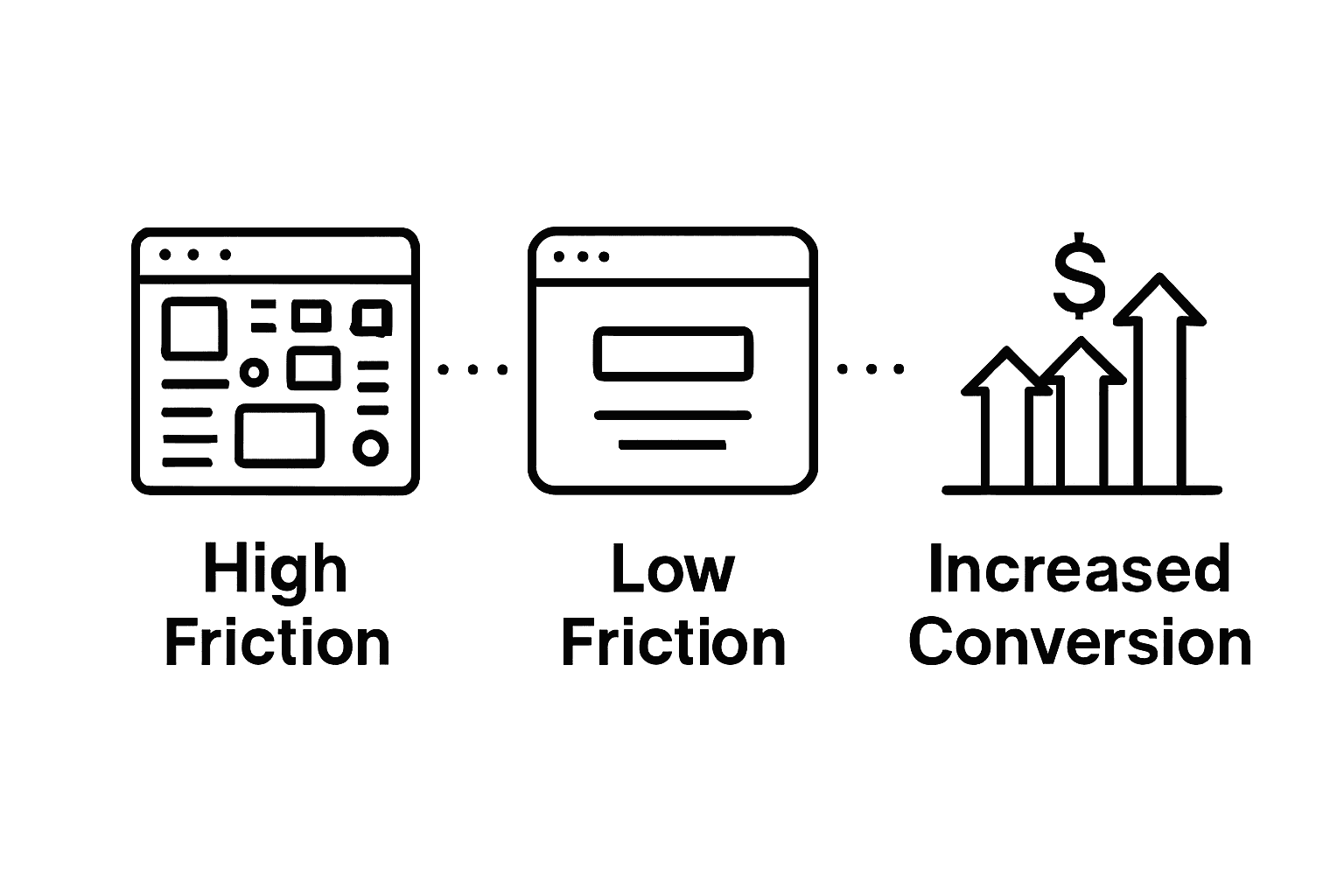
Moreover, clean UI design serves as a powerful competitive differentiator in saturated markets. Companies that prioritize user experience through intelligent interface design signal a commitment to customer-centricity. This approach goes beyond mere visual aesthetics, encompassing a holistic understanding of user psychology, interaction patterns, and seamless digital experiences. By minimizing user frustration and creating interfaces that feel almost invisible, businesses can build trust, enhance brand perception, and create lasting customer relationships that drive long-term growth and customer loyalty.
Below is an overview of how clean UI features drive business outcomes:
| Clean UI Feature | User Benefit | Business Impact |
|---|---|---|
| Streamlined Navigation | Easier task completion | Higher conversion rates |
| Clear Hierarchy | Faster information access | Lower bounce rate |
| Consistent Typography | Improved readability | Better brand perception |
| Strategic Whitespace | Reduced cognitive load | Greater user satisfaction |
Pro Tip for Business Strategy: Allocate a specific budget for continuous UI design testing and refinement, treating interface optimization as an ongoing investment rather than a one-time project.
Comparing Clean UI With Other Approaches
The landscape of user interface design reveals stark differences between clean UI and alternative approaches, each with unique characteristics and implications. Comparative research on design methodologies highlights that minimalist interfaces consistently outperform cluttered designs in usability and task efficiency. Where traditional approaches often prioritize feature density, clean UI emphasizes purposeful simplicity, focusing on user cognitive ease and intuitive interaction.
Emerging design paradigms introduce fascinating alternatives to traditional clean UI methods. Advanced studies exploring Generative UI showcase an innovative approach that leverages AI-driven workflows to create dynamic, adaptive interfaces. This approach contrasts with clean UI’s static principles by introducing iterative, context-responsive design mechanisms. While clean UI relies on predetermined structural guidelines, generative approaches suggest interfaces that can dynamically reshape themselves based on user behavior and contextual requirements.
Traditional design approaches often fall into three primary categories: cluttered interfaces, skeuomorphic designs, and minimalist frameworks. Clean UI distinguishes itself by prioritizing user comprehension over visual complexity. Unlike skeuomorphic designs that mimic real-world objects or cluttered interfaces that overwhelm users with information, clean UI strips away unnecessary elements, creating a direct, frictionless interaction pathway. This approach requires designers to make deliberate choices about every visual element, ensuring that each component serves a specific, meaningful purpose in guiding user experience.
Here’s a summary of key differences between common UI design approaches:
| Approach | Main Focus | User Experience | Visual Characteristics |
|---|---|---|---|
| Clean UI | Simplicity, clarity | Intuitive, efficient | Minimal, organized |
| Cluttered Interface | Feature density | Overwhelming, slow | Crowded, visually noisy |
| Skeuomorphic Design | Real-world mimicry | Familiar, outdated | Heavy textures, 3D effects |
| Generative UI | Adaptive, AI-driven | Dynamic, contextual | Layout shifts, personalized flows |
Pro Tip for Design Approach: Conduct systematic A/B testing across different interface styles to empirically validate the effectiveness of your chosen design methodology.
Frequently Asked Questions
What is clean UI design?
Clean UI design is a strategic approach to creating digital interfaces focused on user comprehension, efficiency, and aesthetic simplicity. It prioritizes clarity by removing unnecessary complexity while ensuring that every visual element serves a specific purpose.
Why is clarity essential in clean UI design?
Clarity is vital in clean UI design because it ensures that users can easily navigate and understand the interface. Consistent typography, limited color palettes, and intuitive navigation structures help reduce cognitive load and facilitate smoother interactions.
How does clean UI design impact user experience?
Clean UI design improves user experience by minimizing cognitive friction, allowing users to navigate and interact with digital products more efficiently. A well-structured interface leads to greater user satisfaction, reduced bounce rates, and higher conversion rates.
What are common misconceptions about clean UI design?
A common misconception is that clean UI design means removing all visual elements. In reality, effective clean UI maintains purposeful design where each element has significance, fostering understanding rather than overwhelming users with simplicity.

About the Author
Josh AndersonCo-Founder & CEO at Rule27 Design
Operations leader and full-stack developer with 15 years of experience disrupting traditional business models. I don't just strategize, I build. From architecting operational transformations to coding the platforms that enable them, I deliver end-to-end solutions that drive real impact. My rare combination of technical expertise and strategic vision allows me to identify inefficiencies, design streamlined processes, and personally develop the technology that brings innovation to life.
View Profile

