

Learn how to build a custom reporting workflow tailored for SaaS operations. Step-by-step guide to boost team efficiency and actionable analytics.
Setting up a custom reporting workflow often means juggling endless spreadsheets and wondering which numbers will truly move your SaaS business forward. For American operations managers, tackling this task can feel overwhelming without a clear strategy. By focusing on Objectives and Key Results (OKRs) to create organizational focus and mapping out essential metrics, you lay the groundwork for data-driven decisions and improved team efficiency.
Step 1: Define reporting objectives and key metrics
When building a custom reporting workflow, your first critical task is establishing clear objectives and measurable metrics that will drive meaningful insights for your SaaS team. Understanding OKRs and performance tracking helps create a structured approach to defining what success looks like.
To craft effective reporting objectives, start by breaking down your organizational goals into specific, trackable components. Your metrics should align directly with strategic priorities and provide actionable intelligence. Consider these key steps for defining robust reporting objectives:
- Identify core business priorities that require measurement and monitoring
- Select quantifiable metrics connected to those strategic goals
- Establish baseline performance for each selected metric
- Define target improvement ranges for tracking progress
When selecting metrics, focus on indicators that provide genuine insights into team performance and business health. Key Performance Indicators can synchronize organizational efforts by creating transparency and accountability across different operational levels.
Effective reporting metrics transform raw data into strategic understanding, turning numbers into actionable business intelligence.
Pro tip: Always validate your metrics with stakeholders to ensure they genuinely reflect meaningful performance indicators and align with broader organizational objectives.
Step 2: Map team processes and data sources
Designing a robust custom reporting workflow requires a comprehensive understanding of your team’s existing processes and data infrastructure. Process mapping visualizes how work currently happens and reveals critical insights into workflow efficiency and potential optimization opportunities.
To effectively map your team’s processes and data sources, you’ll need a systematic approach that captures both current workflows and potential improvement areas. Start by conducting a detailed analysis that breaks down each team’s operational steps and identifies the corresponding data repositories:
- Conduct comprehensive workflow interviews with team members from each department
- Document current process steps using visual mapping techniques
- Identify data sources for each process and workflow
- Create swim lane diagrams to illustrate interdepartmental interactions
- Highlight potential bottlenecks and handoff points
Data repositories are crucial for tracking and organizing information across your organization. Pay special attention to understanding how data flows between different systems and which platforms serve as your primary information sources.
Effective process mapping transforms abstract workflows into tangible, actionable insights that drive operational efficiency.
Pro tip: Create a master spreadsheet that tracks each process, its associated data sources, and current communication channels to maintain a comprehensive view of your organizational workflow.

Step 3: Configure your reporting tools and integrations
Configuring your reporting tools and integrations is a critical step in creating a seamless data workflow that transforms raw information into actionable insights. Data integration requires careful planning and technical skills to ensure smooth communication between different systems and platforms.
To successfully set up your reporting infrastructure, follow these strategic configuration steps:
- Evaluate existing reporting platforms and their compatibility
- Identify necessary API connections between different tools
- Select integration methods that minimize manual data transfer
- Test data synchronization across multiple systems
- Establish secure authentication protocols
Reporting systems offer flexible configuration options that allow you to customize data retrieval and presentation. Focus on creating a flexible architecture that can adapt to your team’s evolving reporting needs, ensuring that each tool communicates effectively and efficiently.
Successful tool integration transforms disconnected systems into a unified, intelligent reporting ecosystem.
Pro tip: Create a detailed integration mapping document that tracks each system’s connection points, authentication requirements, and refresh intervals to simplify future maintenance and troubleshooting.
The following table shows how key reporting tool features enhance SaaS reporting effectiveness:
| Tool Feature | Function | Positive Outcome |
|---|---|---|
| API Integrations | Connects disparate systems | Automates data exchange |
| Authentication | Secures data transfers | Protects sensitive information |
| Custom Templates | Enables tailored reports | Matches unique department needs |
| Error Detection | Flags data issues early | Prevents reporting mistakes |
Step 4: Design and automate custom report templates
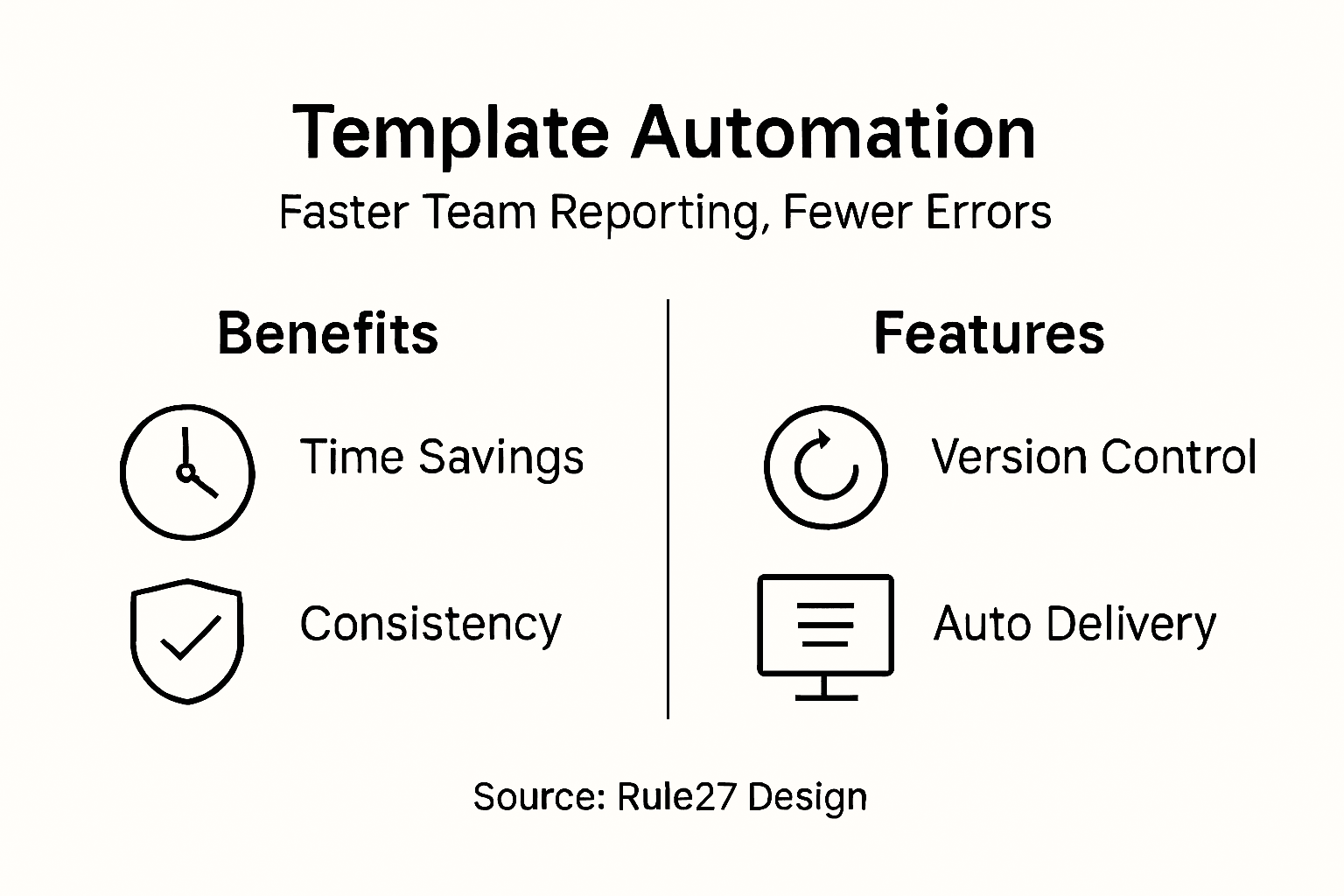
Creating customized report templates transforms raw data into meaningful organizational insights, enabling your team to communicate complex information efficiently and consistently. Custom report templates improve documentation efficiency by providing standardized frameworks that can be quickly adapted to different project requirements.
To design and automate your report templates effectively, consider these strategic development steps:
- Analyze existing reporting requirements across different departments
- Define consistent template sections for comprehensive reporting
- Create reusable template structures with placeholders for dynamic data
- Implement automated data population mechanisms
- Build flexibility for custom modifications
Report templates ensure professional and consistent information presentation, allowing your team to generate accurate reports quickly. Focus on developing templates that balance structure with adaptability, enabling seamless data integration and minimal manual intervention.
Automated report templates are the secret weapon for transforming complex data into clear, actionable insights.
Pro tip: Develop a template library with version control, allowing team members to access, modify, and track template iterations while maintaining a standardized reporting approach.
Step 5: Validate report accuracy and distribution
Ensuring the integrity and reliability of your reporting workflow requires a systematic approach to validation and strategic distribution. Validating analytical methods supports data credibility by establishing rigorous protocols that minimize errors and build stakeholder confidence.
To effectively validate your reports and prepare for distribution, implement these comprehensive verification steps:
- Conduct multiple data cross-reference checks
- Perform statistical accuracy assessments
- Review data collection and calculation methodologies
- Establish automated error detection mechanisms
- Create multi-level approval workflows
Evaluation reporting requires thorough verification processes before sharing insights with stakeholders. Focus on developing a robust validation framework that guarantees data precision and maintains the highest standards of reporting integrity.
Accurate reporting is not just about numbers - it’s about building trust through transparent, verifiable insights.
Pro tip: Develop a standardized validation checklist that team members can consistently apply, creating a repeatable process for ensuring report accuracy before final distribution.
Here’s a summary of how each step in the custom reporting workflow enhances business outcomes:
| Workflow Step | Primary Benefit | Business Impact |
|---|---|---|
| Define Reporting Objectives | Focuses on strategic goals | Aligns reporting with business priorities |
| Map Team Processes | Uncovers workflow inefficiencies | Enables process improvement and optimization |
| Configure Tools & Integrations | Ensures data connectivity | Delivers timely, unified insights |
| Design Automated Templates | Standardizes report structure | Improves consistency and saves time |
| Validate & Distribute Reports | Assures data accuracy | Builds trust with stakeholders |
Unlock Seamless Custom Reporting With Smart Digital Infrastructure
Building an efficient custom reporting workflow means overcoming challenges like fragmented data sources, manual report generation, and limited integration between tools. This article highlights key steps such as defining clear reporting objectives, mapping team processes, configuring integrations, and automating templates that many SaaS teams struggle to implement effectively. If you find yourself stuck managing complex data flows or seeking consistent, accurate reporting that aligns with your strategic goals, you are not alone.
At Rule27 Design, we specialize in crafting tailored administrative systems that close the gap between rigid off-the-shelf software and overwhelming enterprise solutions. Our custom-built admin panels and internal tools are designed exactly to match how your team operates, creating smoother workflows and consolidating data into actionable insights. Through flexible integrations and automated reporting features, your team gains clarity and control over performance metrics while saving time and reducing errors.
Ready to transform your reporting workflow and unlock true operational efficiency? Explore how Rule27 Design’s solutions can help you automate, unify, and validate your reports with ease. Don’t let outdated processes hold your SaaS team back — take the first step towards smarter reporting today by visiting our site and discovering custom systems built for your growth.
Frequently Asked Questions
What are the key objectives in a custom reporting workflow for SaaS teams?
Establishing clear objectives is essential for an effective custom reporting workflow. Start by breaking down your organizational goals into specific, measurable components that directly align with your team’s strategic priorities.
How can I identify the right metrics for my SaaS reporting?
To identify the right metrics, focus on quantifiable indicators connected to your core business priorities. Document baseline performances and define target improvement ranges to ensure these metrics provide actionable insights.
What steps should I follow to map my team’s processes for reporting?
Begin by conducting interviews with team members to document current workflows. Use visual mapping techniques to illustrate these processes and identify potential bottlenecks and data sources for each step.
How do I configure reporting tools and ensure data integration?
Evaluate your existing reporting platforms and identify necessary API connections for seamless integration. Test data synchronization across systems to minimize manual transfers and ensure timely, accurate reporting.
What should I include in my report validation process?
Implement multiple cross-reference checks and statistical assessments to validate your reports accurately. Create a standardized checklist that your team can use consistently to ensure the accuracy of data before distribution.
How can I automate report templates to improve reporting efficiency?
Design reusable report templates with standardized sections that include placeholders for dynamic data. Implement automated mechanisms for data population to streamline the report generation process and reduce manual effort.

About the Author
Josh AndersonCo-Founder & CEO at Rule27 Design
Operations leader and full-stack developer with 15 years of experience disrupting traditional business models. I don't just strategize, I build. From architecting operational transformations to coding the platforms that enable them, I deliver end-to-end solutions that drive real impact. My rare combination of technical expertise and strategic vision allows me to identify inefficiencies, design streamlined processes, and personally develop the technology that brings innovation to life.
View Profile

