

Explore the role of user interface design in workflow efficiency, digital systems, and AI-optimized platforms in this comprehensive guide.
Did you know that users can decide whether they like a digital product in just a fraction of a second? A strong user interface design is more than clean layouts and pretty colors. It shapes every interaction, from the first click to the final task. When UI feels intuitive, people move smoothly through digital spaces and stay engaged. That’s why smart UI design is now a driving force behind business success and seamless digital experiences.
Key Takeaways
| Point | Details |
|---|---|
| Importance of UI Design | Effective user interface design enhances user experience, improving engagement and minimizing frustration in digital interactions. |
| Types of User Interfaces | Modern user interfaces range from graphical and command-line interfaces to emerging technologies like AR and VR, catering to diverse user needs. |
| Core Design Principles | Adhering to user-centric design principles, including simplicity, consistency, and visual hierarchy, is crucial for creating intuitive interfaces. |
| Impact on Workflow Efficiency | Optimized UI design can significantly boost workflow efficiency, resulting in faster task completion and higher user satisfaction. |
Defining User Interface Design and Its Importance
At its core, user interface design is about creating digital experiences that feel intuitive and effortless. According to TechTarget, user interface (UI) represents the critical point of human-computer interaction, encompassing everything users see, touch, and interact with on digital platforms. This means more than just visual elements - it’s about crafting pathways that guide users smoothly through complex digital environments.
A well-designed UI goes far beyond aesthetic appeal. It serves as the bridge between human intention and technological capability. Key components of effective UI design include:
- Intuitive navigation structures
- Clear and consistent visual hierarchies
- Responsive design across multiple devices
- Accessible interaction elements
- Minimized cognitive load for users
The importance of UI design cannot be overstated in today’s digital landscape. Poor interface design can frustrate users, increase abandonment rates, and ultimately harm business performance. Research consistently shows that users form opinions about digital products within milliseconds of first interaction. A thoughtful, user-centered interface can transform complex systems into engaging, approachable experiences that feel natural and compelling.
From enterprise software to mobile applications, UI design serves as the silent communicator between technology and human experience. It’s not just about making things look good - it’s about creating digital environments where functionality and user comfort coexist seamlessly.
Types of User Interfaces in Modern Systems
In the evolving digital ecosystem, user interfaces have dramatically transformed from simple text-based interactions to sophisticated multi-modal experiences. According to TechTarget, modern systems now support an impressive array of interface types that cater to diverse user needs and technological capabilities.
The primary categories of user interfaces include:
- Graphical User Interfaces (GUI): The most common type, featuring visual elements like icons, buttons, and windows
- Command-Line Interfaces (CLI): Text-based interfaces preferred by technical professionals
- Touch User Interfaces (Touch UI): Prevalent in smartphones and tablets
- Voice User Interfaces (Voice UI): Enabling hands-free interactions through voice commands
- Mobile User Interfaces: Specifically designed for smartphone and tablet experiences
Advanced interface technologies are pushing boundaries even further. According to research from Dapth, emerging interfaces like augmented reality (AR) and virtual reality (VR) are creating immersive digital environments that blur the lines between physical and digital interactions. These interfaces offer unprecedented levels of engagement, allowing users to interact with digital systems in more natural, intuitive ways.
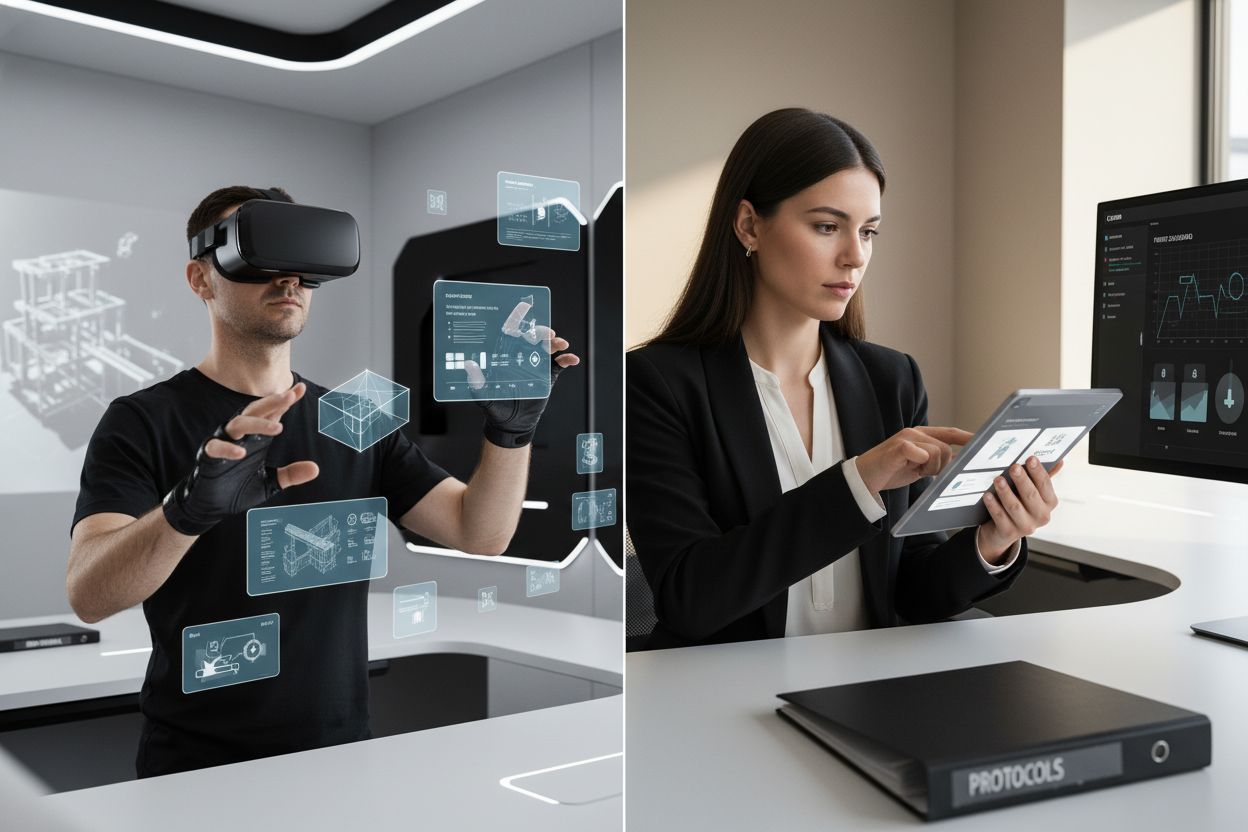
Each interface type serves unique contexts and user preferences. While traditional GUIs remain dominant in desktop computing, touch and voice interfaces are rapidly gaining ground in mobile and smart home technologies. The future of user interfaces lies in seamless, adaptive experiences that anticipate user needs and provide intuitive, frictionless interactions across multiple platforms and devices.
Here’s a comparison of major user interface types and their unique characteristics:
| Interface Type | Key Features | Typical Use Cases |
|---|---|---|
| Graphical User Interface (GUI) | Visual icons Windows & menus Mouse navigation |
Desktop software Websites Business apps |
| Command-Line Interface (CLI) | Text commands Keyboard driven High efficiency |
Developer tools Server management |
| Touch User Interface | Tap & swipe gestures On-screen buttons |
Smartphones Tablets |
| Voice User Interface | Spoken commands Hands-free interaction |
Smart speakers Virtual assistants |
| Augmented/Virtual Reality | Immersive visuals Spatial interactions |
Gaming Training simulations |
Core Principles of Effective UI Design
User interface design is a delicate balance of art and science, where every visual element and interaction must serve a clear purpose. According to research from Hieroart, effective UI design fundamentally revolves around creating experiences that are intuitive, accessible, and deeply aligned with user needs.
The foundational principles of exceptional UI design include:
- User-Centric Approach: Designing with real user research and personas
- Simplicity: Minimizing cognitive load and complexity
- Consistency: Maintaining uniform design patterns and interactions
- Responsiveness: Ensuring smooth performance across different devices
- Visual Hierarchy: Guiding user attention through strategic design elements
According to insights from ESystems, visual hierarchy plays a crucial role in directing user comprehension. This means strategically using color, size, contrast, and spacing to naturally lead users’ eyes and highlight the most important information. It’s about creating a visual narrative that feels both intentional and effortless.
Ultimately, great UI design transcends aesthetic appeal. It’s about creating digital experiences that feel so natural and intuitive that users barely notice the interface itself. By prioritizing clarity, consistency, and user-centered design, interfaces can transform complex systems into engaging, approachable environments that empower users to achieve their goals with minimal friction.
UI Design’s Impact on Workflow Efficiency
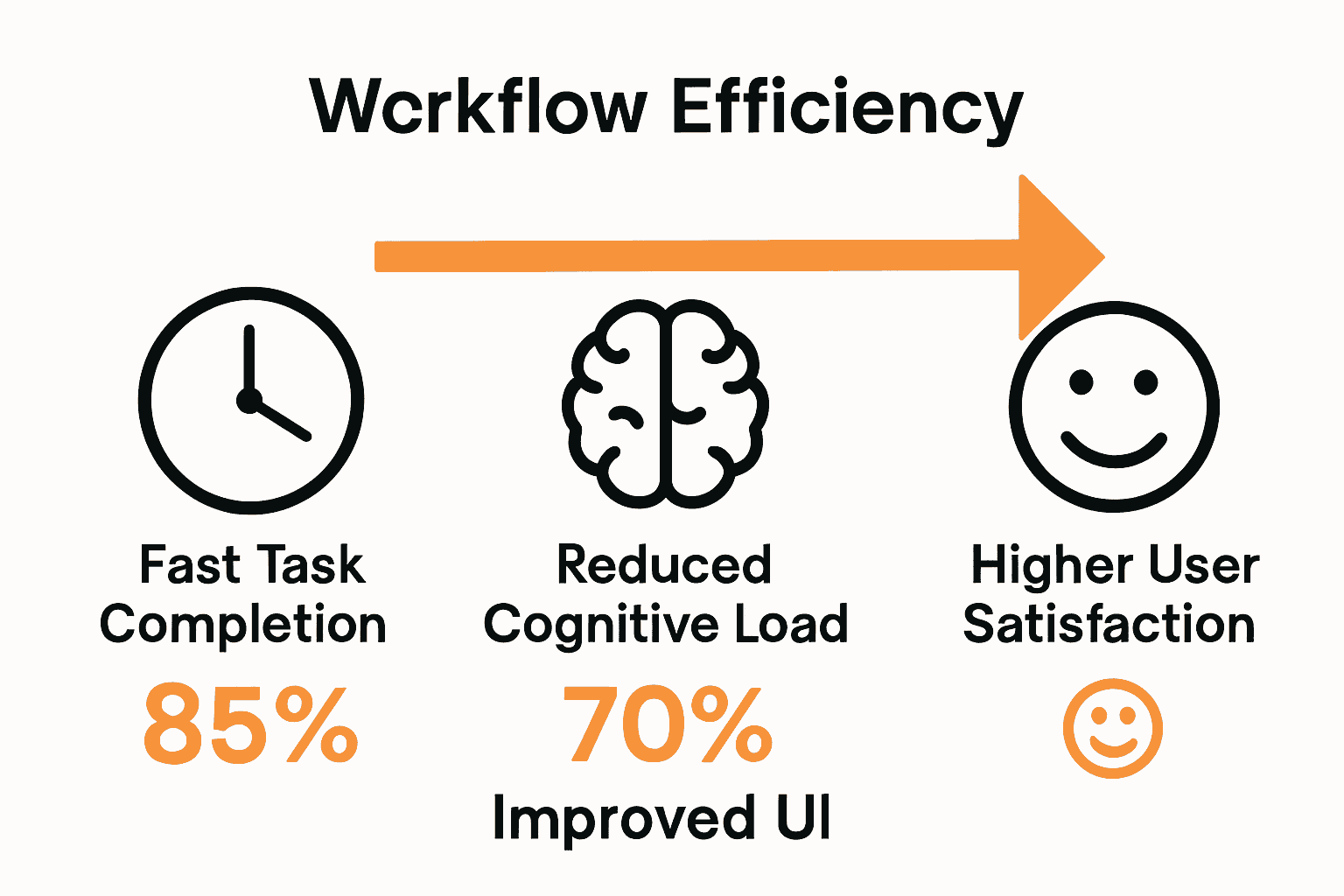
Workflow efficiency isn’t just about speed - it’s about creating intuitive digital environments that help teams work smarter, not harder. According to research from EMB Global, optimized UI design can dramatically increase user engagement rates by up to 50%, transforming how teams interact with complex digital systems.
The most significant workflow improvements through strategic UI design manifest in several key areas:
- Reduced cognitive load for users
- Faster task completion times
- Minimized training requirements
- Lower error rates in complex processes
- Improved user satisfaction and adoption
Effective UI design acts like an invisible productivity accelerator. By strategically organizing information, creating clear navigation paths, and anticipating user needs, interfaces can turn potentially complicated workflows into seamless, almost intuitive experiences. This means employees spend less time wrestling with technology and more time focusing on meaningful work.
Beyond mere aesthetics, intelligent UI design serves as a critical bridge between human potential and technological capability. When interfaces are thoughtfully crafted to match natural human cognitive patterns, they can dramatically reduce friction in digital interactions. The result? Teams that are more engaged, less frustrated, and ultimately more productive - proving that great design is never just about looking good, but about enabling people to achieve their best work with minimal resistance.
Avoiding Common UI Design Mistakes
User interface design is a minefield of potential errors that can derail user experience in an instant. According to research from Moldstud, designers frequently stumble into traps that compromise the fundamental goals of creating intuitive, user-friendly interfaces.
The most critical UI design mistakes to avoid include:
- Cluttered Layouts: Overwhelming users with too much information
- Inconsistent Styling: Creating visual confusion across different interface elements
- Overcomplicated Interactions: Making simple tasks needlessly complex
- Lack of User Feedback: Failing to provide clear responses to user actions
- Accessibility Neglect: Ignoring users with different abilities or device constraints
According to insights from Toptal, another critical pitfall is becoming overly rigid with design rules. Designers sometimes get trapped in a grid-lock mentality, sacrificing intuitive design for strict geometric patterns. This approach can create interfaces that look mathematically perfect but feel sterile and disconnected from actual user needs.
The key to avoiding these mistakes lies in maintaining a user-centered perspective. Great UI design isn’t about following rules religiously, but about creating experiences that feel natural, responsive, and genuinely helpful. By prioritizing user research, maintaining flexibility, and constantly testing and iterating, designers can create interfaces that not only look good but actually enhance how people interact with technology.
Frequently Asked Questions
What is user interface design?
User interface design is the process of creating digital experiences that feel intuitive and efficient, focusing on everything users see, touch, and interact with on digital platforms.
Why is user interface design important?
Effective user interface design is crucial because it enhances user satisfaction, reduces abandonment rates, and directly impacts business performance by creating smoother interactions and experiences.
What are the common types of user interfaces?
Common types of user interfaces include graphical user interfaces (GUI), command-line interfaces (CLI), touch user interfaces, voice user interfaces, and mobile user interfaces, each serving different user needs and contexts.
How can poor user interface design affect workflow efficiency?
Poor user interface design can lead to increased cognitive load, longer task completion times, higher error rates, and decreased user satisfaction, ultimately hampering workflow efficiency and productivity.

About the Author
Josh AndersonCo-Founder & CEO at Rule27 Design
Operations leader and full-stack developer with 15 years of experience disrupting traditional business models. I don't just strategize, I build. From architecting operational transformations to coding the platforms that enable them, I deliver end-to-end solutions that drive real impact. My rare combination of technical expertise and strategic vision allows me to identify inefficiencies, design streamlined processes, and personally develop the technology that brings innovation to life.
View Profile


